TIPS & RESOURCES

Why Real-World Queues Aren't First-Come, First-Served

a man with a green suit
By Lukas Alberter
Updated: Published:

Why "first come, first served" stops working when walk-ins and appointments share the same service floor and the same staff.


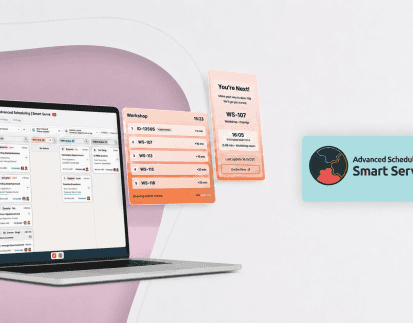
the queue manager with many tickets on the board and one being moved. In front of the queue manager is the mobile screen
Back

Key Takeaways

  • When walk-ins and appointments share the same staff, first come, first served stops working. Arrival order ignores the promises a booking makes.
  • A hybrid queue has to weigh more than arrival time: the appointment time, the service, the staff member it needs, and any delays already in the day.
  • The queue order is a plan. It shows who should be served next, which is not always who can be served next.
  • Teams need 2 signals in one view: the planned order and live staff availability. The final decision stays with the people on the service floor.

A customer with a 10:30 appointment arrives at 10:25. At the counter, 2 walk-ins have been waiting for 15 minutes. Of your 3 staff members, 1 is free. The second will finish in 6 minutes. The third is still serving a customer who should have left 10 minutes ago.

So who should be served next?

In a single-line queue, the answer is obvious. On a real service floor, it rarely is. The problem is that walk-ins and appointments follow different rules. An appointment schedule is a set of promises made in advance. A physical queue is the order in which people arrive.

Why first-come, first-served breaks down

First come, first served works when every customer needs the same service from the same person. Most service floors do not work like that.

A classic queue follows one rule:

Arrival → position → service

A hybrid operation has to weigh much more at the same time:

Appointment time + arrival time + service type + assigned staff member + resource availability + delays

Here is how that looks on a normal morning:

  • 10:00: Walk-in A arrives.
  • 10:08: Walk-in B arrives.
  • 10:12: Customer C arrives for a 10:15 appointment.

C arrived after B. C can still be served before B. Why? Because the booking was a promise. When C booked the 10:15 slot, the business committed to serving C at that time. B is a walk-in and takes the next open place around the booked times.

This is the idea at the center of every hybrid queue:

The queue should reflect the promises made to customers, not simply the order in which they walked through the door.

For the basics of how queue systems work, from check-in to wait-time estimates, see the queue management systems guide.

The queue order is a plan, not a command

Smart Serve keeps a planned queue: a projected timeline of what should happen next for each staff member. It builds that plan from booked times, arrival times, service durations, and the staff member assigned to each ticket. Booked appointments enter the plan up to 2 hours before they start, so the queue knows what is coming before the customer arrives.

But being first in the queue does not necessarily mean being the customer your team can serve right now.

Take the 2 tickets at the top of the queue:

  • The first customer is assigned to staff member A. A is busy for another 8 minutes.
  • The second customer is assigned to staff member B. B is free now.

Why should B wait 8 minutes without a customer? In most operations, B starts with the second customer. The first customer is still served by A, as planned.

A single-line queue treats 2 different questions as one:

What should happen next: the planned order.

What can happen next: who is actually free to serve.

One Board, Two Signals: Understanding Queue Priority and Staff Availability

Smart Serve shows both answers on one queue board, so your team does not have to work them out from memory.

Queue position = service priority. The order reflects when each customer should be served.

Availability = operational reality. An availability indicator on each ticket shows whether the assigned staff member can start the service. It has 3 states:
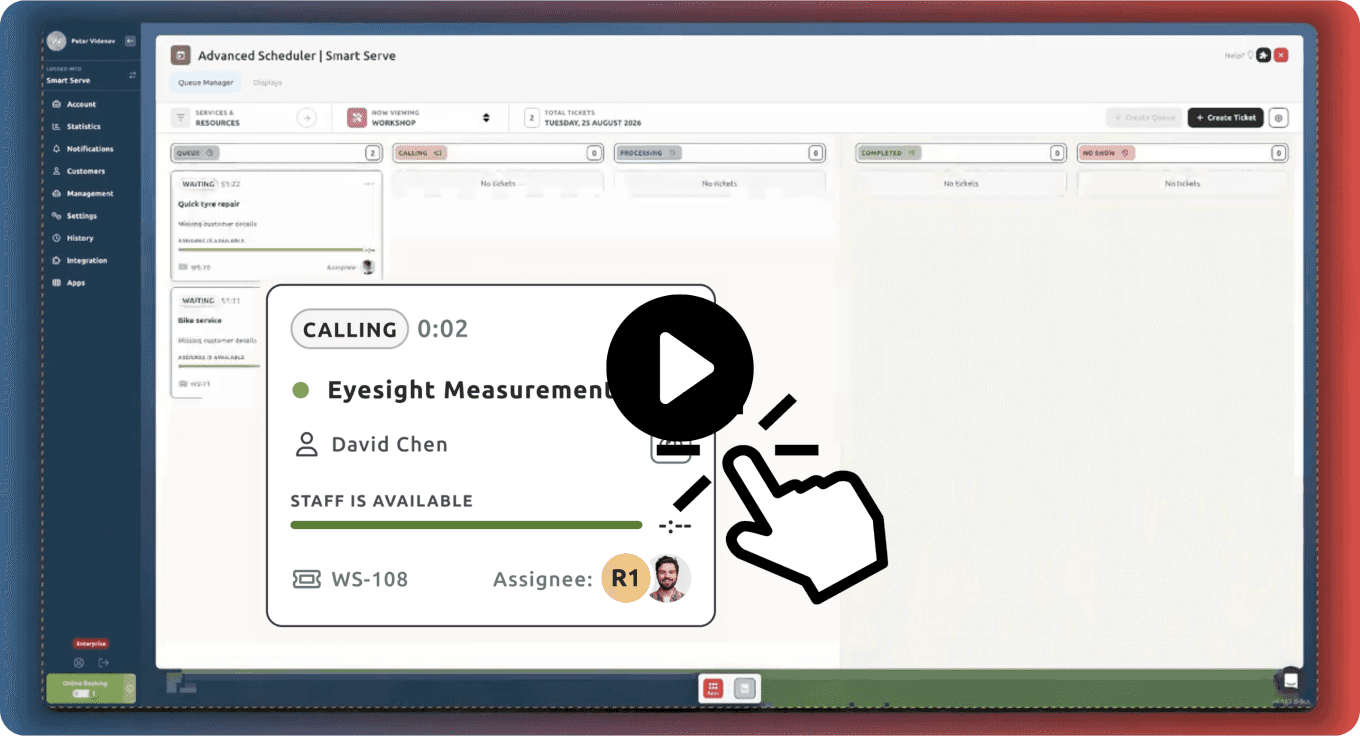
  • Green: available now. The assigned staff member can take over the service immediately.
  • Blue: available soon. The remaining time shows when the assigned staff member is expected to be free.
  • Gray: availability unknown. For example, the staff member is contacting a booked customer who has not arrived, and nobody can say yet how long that will take.

If someone tries to call a customer for a staff member who is still busy, Smart Serve asks for confirmation first. Each staff member serves 1 customer at a time.
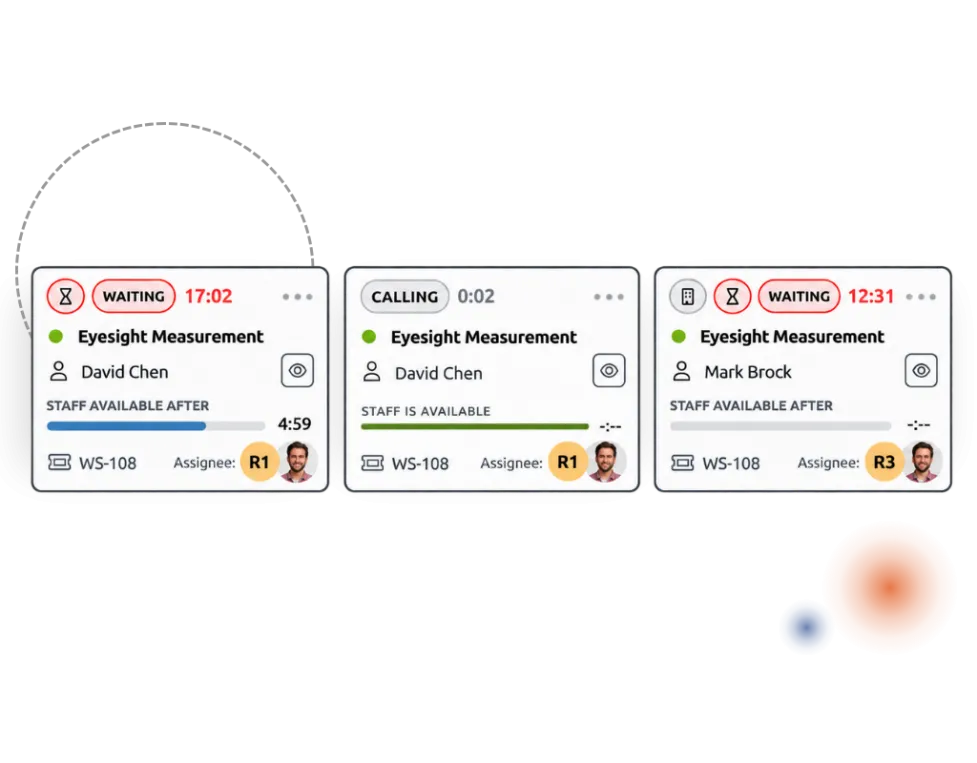
3 timify Smart Serve queue tickets showing the availability states available now, available soon, and availability unknown
Queue position shows priority. The availability indicator shows whether the assigned staff member can actually start the service.

Why the team still needs control

Full automation sounds like the goal. On a real service floor, it is often counterproductive. Much of the software market presents automation as the answer by default, but the floor changes every few minutes, in ways no system can see:

  • A customer goes outside to take a phone call.
  • A service takes longer than planned.
  • A specialist becomes available earlier than expected.
  • A walk-in needs only 5 minutes.
  • A booked customer arrives late.
  • A room or device that a service needs is temporarily unavailable.

No scheduling algorithm knows every detail of what is happening on the service floor. So software should inform each decision, not force it.

With Smart Serve, the team acts on what it sees. Staff can move a called customer back into the queue, extend a service, mark a no-show, or give a ticket to another staff member. The queue recalculates after every change, and Smart Serve respects the choice the team made.

Smart Serve provides the operational context. The team retains control.

“Every real queue breaks its own order at some point: someone arrives early, someone needs five minutes more. Smart Serve is built for that rather than against it: appointments and walk-ins together, live availability beside them, and the last word always with the people serving.”
Petar Videnov - Product Owner, Smart Serve, timify

From static schedules to a live service flow

A calendar answers one question: what is supposed to happen today? Smart Serve answers 2 more: what is happening right now, and what should happen next?

That is the shift from static scheduling to a live service flow. Smart Serve connects booked appointments, walk-ins, check-in, staff availability, and queue updates in one real-time flow:

Appointment or walk-in → Check-in → Live queue → Staff availability → Service → Completion

Customers check in at a self-service kiosk, with a QR code or their booking number, or at the front desk. While they wait, they can follow the queue on their phone or on a waiting room display. Every change on the staff board appears there at the same time. For a full overview of the product, see virtual queue management with Smart Serve.
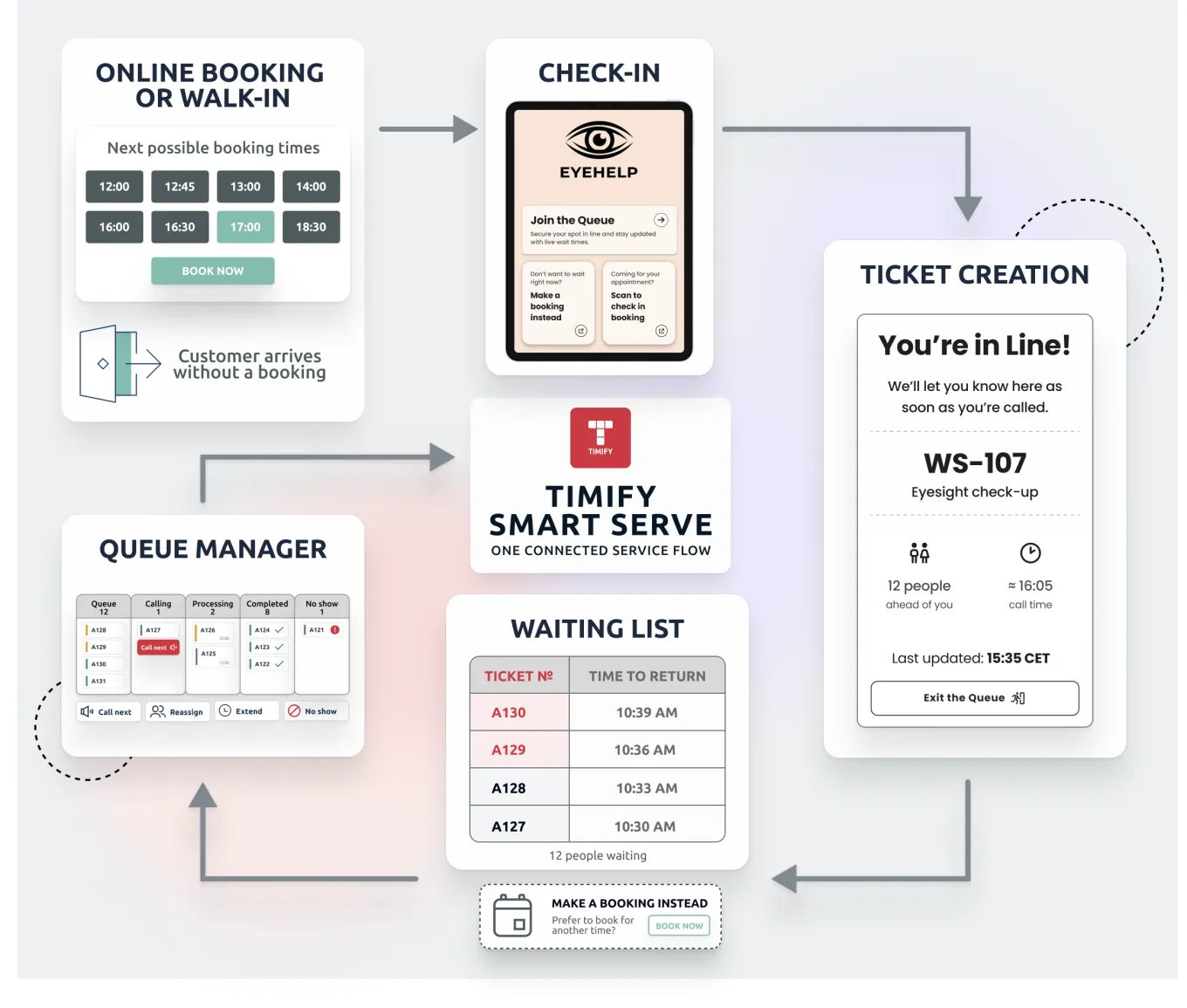
a diagram of the service flow from appointment or walk-in through check-in, live queue, staff availability, and service to completion

How timify handles this

Appointments and walk-ins on one live queue

timify handles this through Smart Serve, its queuing system, which runs alongside hybrid scheduling. Booked appointments and walk-ins share the same staff and resources, and timify balances the 2 streams to prevent conflicts. For organizations that share specialists across several sites, Smart Serve keeps each specialist's availability in sync across every site, so the same person is never planned twice.

Explore Smart Serve →
How to run walk-ins and booked customers in one live queue →

Where this matters most

The pattern appears wherever booked and spontaneous visits compete for the same people.

Retail

Consultations, repairs, click-and-collect orders, and spontaneous customer requests compete for the same store staff. See how timify supports retail operations. For the optical version of this problem, see optical store appointment scheduling.

Healthcare and clinics

Booked consultations run alongside walk-in patients, and many patients need a specific specialist. See how timify supports healthcare teams.

Banking and financial services

Scheduled advisory appointments run alongside spontaneous branch visitors who need help at the counter. See how timify supports financial services.

Public services

Citizens with appointments arrive alongside citizens without one, and different requests need different service counters. See how timify supports public services.

Structure and flexibility in one queue

A queue does not need to choose between structure and flexibility.

The planned order matters because it protects the promises made to customers. Live availability matters because the plan inevitably changes once the day begins.

The order tells your team what should happen next. Availability tells them what can happen next. Smart Serve gives teams both.

Frequently Asked Questions

Who decides who is served next, the system or the team?
The team. Smart Serve keeps the planned order and shows live staff availability on every ticket, so staff see at a glance who should be served next and who can be. The final decision stays with the people on the service floor.
Is first come, first served a fair queue rule?
It is fair when every customer needs the same service from any available staff member. Once appointments, different services, and different staff skills share one queue, strict arrival order breaks the promises made to booked customers and leaves free staff waiting.
Can a free staff member serve a customer further down the queue?
Yes. The queue order shows priority, not a fixed sequence. A staff member who is free can start with a customer further down the queue when the customer at the top is waiting for someone who is still busy.
Does a queue replace the appointment calendar?
No. Smart Serve works on top of the timify calendar. The calendar holds what is planned. The queue shows what is happening now, and completed services are written back to the calendar.
Should walk-ins or appointments be served first?
Neither rule works on its own. A booked customer has a promise for a specific time, so they usually take priority close to that time. Walk-ins are served in arrival order around the booked times. Whether anyone can actually start also depends on which staff member is free.
What is a hybrid queue?
A hybrid queue holds booked appointments and walk-ins in one list, ordered by when each customer should be served. Both types of visit draw on the same staff and resources. timify runs hybrid queues through Smart Serve.
What happens when a booked customer arrives late?
The queue keeps moving. A booked ticket stays on hold until the customer checks in, then joins the live queue, and wait times update. If the customer does not arrive, staff mark a no-show and the time becomes available again.
Can waiting customers see where they are in the queue?
Yes. A mobile page shows each customer their ticket number, how many people are ahead, and their estimated call time. A waiting room display shows the tickets being called and the estimated wait times.
a man with a green suit

About the author

Lukas Alberter

Lukas embarked on his professional journey after earning a Bachelor and Master's degree in Learning Sciences and Educational Research and Management at Ludwig-Maximilians-Universität München. With hands-on experience across HR, recruitment, and educational roles—from tutoring to shaping hiring and organizational strategy at Limehome and Diakonie Rosenheim—he joined TIMIFY in a People & Culture capacity, where he now thrives as P&C Manager. Blending his academic background in learning systems with real-world HR initiatives, Lukas is dedicated to crafting an enriched workplace culture and employee experience at TIMIFY.

Related articles

TIMIFY Smart Serve App
Virtual queue management with the TIMIFY Smart Serve App
Learn more
Queue Management Systems (QMS) 101: How to Control The Flow of Waiting Lines Effectively
Learn more
an image of a woman receiving a service
10 Best Practices When Running an Online Queuing System
Learn more