Tips & Resources

One Customer, Multiple Locations: How to Prevent Double Bookings Across Your Network

By Lukas Alberter
Updated: Published:

Employees working across multiple locations can create scheduling conflicts. Learn how Cross-Account Sync and TIMIFY Branch Manager help prevent double bookings across your network.


man with a tablet smiling at the camera. A Sync screenshot on his left.
Back

Sharing employees between locations gives businesses more flexibility. A specialist can support several branches, teams can respond to changing demand, and customers gain access to the right expertise across a wider network.

But shared resources create a scheduling challenge that is easy to underestimate.

Imagine an optometrist who works across two stores. A customer books an appointment with them at Location A at 14:00. If Location B manages its calendar independently, 14:00 might still appear available there. The employee now has two appointments at the same time – in two different places.

The same problem can affect healthcare networks, retailers, consulting firms and any organisation where employees support more than one location.

As a network expands, solving this through calls, messages or manual calendar checks quickly becomes impractical. Shared resources should create flexibility, not scheduling conflicts.

The solution is to treat employee availability as a network-wide consideration rather than something that exists independently within each branch.

Why local calendars alone are not enough

Individual location calendars work well when teams operate independently.

The situation changes when an employee belongs to more than one location.

A local calendar can show whether that employee has an appointment at that particular branch. What matters operationally, however, is whether they already have an appointment anywhere else in the network.

Without that connection, each location can have an incomplete view of the employee's true availability.

Consider a simple scenario:

  • Location A schedules a customer consultation from 10:00 to 11:00.
  • The same consultant also works for Location B.
  • Location B's calendar still shows the consultant as available from 10:00 to 11:00.
  • Another customer selects the same time.
  • Staff must now identify the conflict, contact one of the customers and rearrange the appointment.

The problem is not that either branch scheduled incorrectly. Each branch acted on the information available to it.

The problem is that availability was being managed locally while the resource was being shared globally.

For a broader look at this challenge, read our guide to managing appointment bookings across multiple stores.

A free slot at one location does not always mean an employee is free

Multi-location resource scheduling requires a different definition of availability.

If an employee works across several locations, an appointment created in one account needs to influence what can be booked in the others.
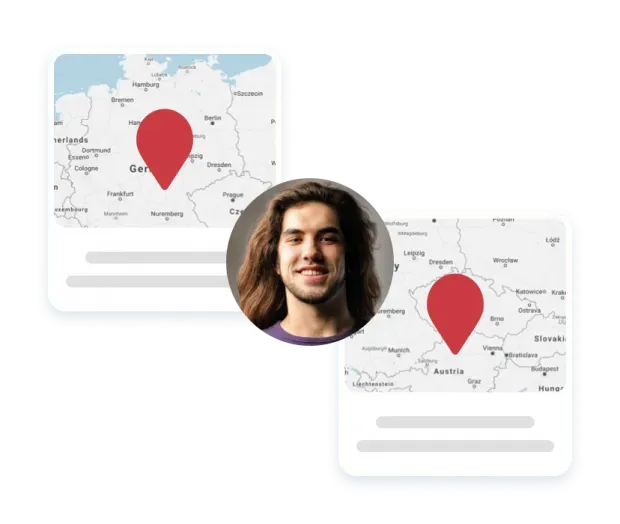
a photo of an employee in between two locations

TIMIFY's Cross-Account Sync is designed for this situation.

An employee who is associated with multiple eligible TIMIFY accounts can connect those accounts for synchronisation. Once the sync is active, a booking made for that resource in one location creates a corresponding Cross-Account Booking, or blocker, in the connected locations.

So, if an employee receives an appointment at Location A from 14:00 to 15:00, the same period is blocked for that resource at Location B.

Instead of expecting every branch to manually check several calendars before accepting an appointment, the scheduling system carries that information across the connected accounts.

The original booking stays where it belongs
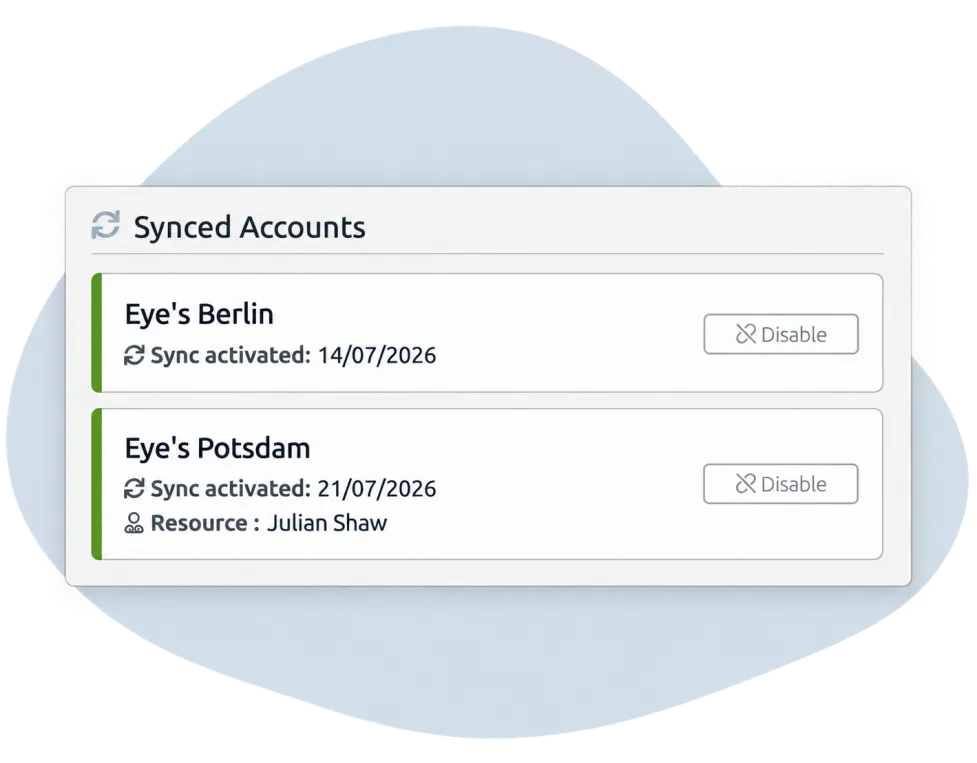
Synced accounts in TIMIFY

Cross-Account Sync does not need to duplicate the full appointment across every branch.

The account where the appointment was originally created acts as the host calendar. Connected accounts receive a blocker in their guest calendars.

This distinction is important.

The blocker protects the employee's time without exposing unnecessary appointment information to other locations. It does not copy customer details, service information, notes or booking data fields into the guest account.

Other resources simply see that the time is unavailable.
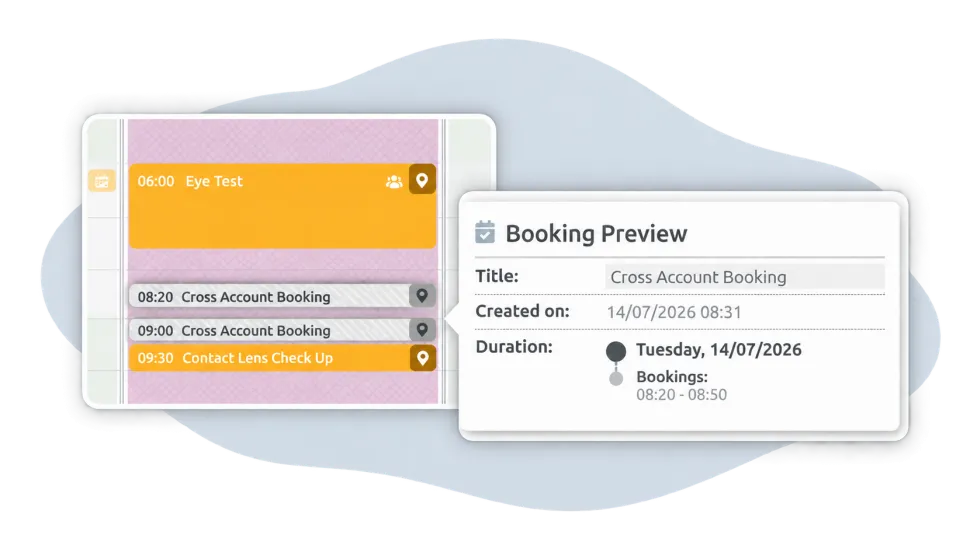
Synced bookings across accounts for one ressource

The employee associated with the booking can access additional information about their own blocker and navigate back to the original booking when needed.

This creates a useful balance: availability can be shared across a network without unnecessarily sharing the contents of the appointment.

Why cross-location conflicts become harder to manage as you grow

With two locations and one shared employee, teams may feel they can manage conflicts through communication.

Add more branches and more shared employees, and that approach becomes increasingly fragile.

A retail specialist might support three stores. An optometrist may divide the week between several practices. A consultant could handle on-site appointments for one office while also providing remote consultations for customers booked through another.

Every additional combination of employee, account and appointment adds another availability dependency.

That is why multi-location scheduling is not simply about giving every branch its own digital calendar. The calendars also need to understand when a resource is already committed elsewhere.

Central synchronisation becomes particularly valuable when organisations want to share expertise across their network rather than permanently assigning every employee to one location.

Where shared-resource scheduling matters most

Different industries experience this challenge in different ways, but the underlying scheduling problem is remarkably similar.

Optical businesses

Optical chains may have optometrists or other specialists who rotate between stores according to demand.

If an optometrist is available to customers through more than one location, each store needs to know when that person has already been booked elsewhere. Cross-location blockers can protect those appointment periods while allowing the employee to remain bookable across their connected locations at other times.

Healthcare networks

Clinicians and specialists may provide appointments at different clinics or service points.

Independent calendars increase the risk that a practitioner appears available in one location while already treating a patient through another. Synchronising bookings across the accounts creates a more accurate view of when that practitioner can accept another appointment.

Retail networks

Employees with specialist knowledge may move between stores rather than belonging exclusively to one branch.

This might include personal shopping appointments, technical consultations, product experts or other scheduled customer services. Making their commitments visible across connected scheduling accounts helps stores use these specialists flexibly without relying on manual coordination.

Consulting and service networks

Location does not always mean a physical appointment.

A consultant might provide an in-person meeting booked through one office, followed by telephone or video appointments associated with another account.

Cross-Account Sync is particularly useful in these scenarios because the core question is not simply “Where is the employee?” but “Is this employee already committed to another customer at this time?”

From individual synchronisation to network-wide management

Cross-Account Sync addresses the availability problem for employees working across multiple accounts.

For larger organisations, however, another question appears: how do you manage scheduling rules consistently across dozens, hundreds or even thousands of locations?

This is where TIMIFY Branch Manager becomes relevant.
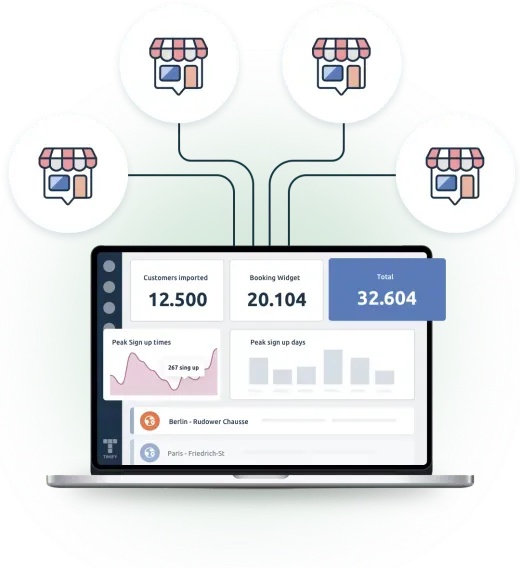
The TIMIFY Branch Manager on a laptop display connects with four branches virtually

Branch Manager gives multi-location organisations a central management layer for their TIMIFY network. Businesses can manage branches, services, resources, customer structures and global settings centrally while still allowing locations to retain appropriate local flexibility.
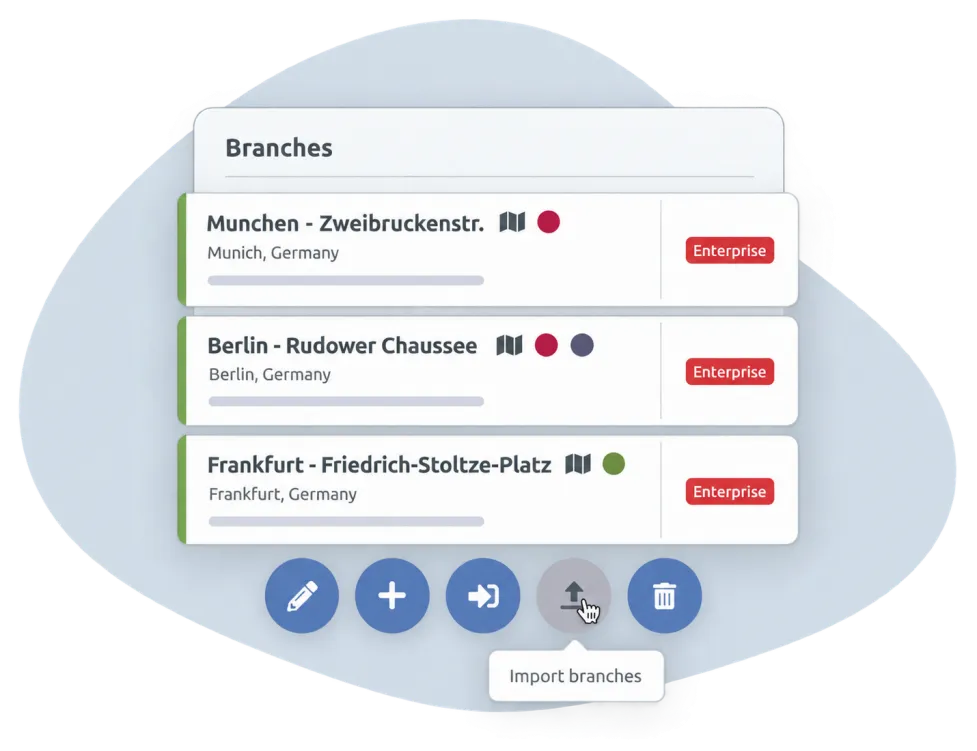
Three branches in the TIMIFY Branch manager. there are five buttons on the bottom of these branches indicating action options for the employees for example to import branches

Cross-Account Sync can also be enabled through Branch Manager's global booking settings, making the functionality available across the branch network without requiring administrators to activate the setting separately in every individual location.

Employees can then connect the eligible accounts that need to participate in their Cross-Account Sync.

This creates two complementary levels of control:

Branch Manager provides the framework for managing the location network. Cross-Account Sync coordinates the booking commitments of employees who work across that network.

For organisations already considering how to centralise multi-location operations, our articles on multi-location appointment management and centralised appointment scheduling with TIMIFY Branch Manager explore the wider management model.

Central control does not have to mean removing local flexibility

Multi-location businesses often need both standardisation and autonomy.

Head office may want consistent services, booking settings and operational policies. Individual locations may still need to respond to local opening hours, staffing arrangements, demand or market requirements.

The same principle applies to resources.

An employee being shared across several locations should not require every branch to give up control over its own schedule. What locations need is reliable information about the commitments that affect them.

Cross-Account Sync provides that connection at the booking level, while Branch Manager supports central administration across the wider network.

Instead of turning every branch calendar into one enormous calendar, the aim is to make sure that the right availability information reaches the right account when it matters.

A scalable approach to shared employees

For businesses reviewing their multi-location scheduling model, four questions are particularly useful:

  • Which employees or resources work across more than one location?
  • Can every location see when those employees are already committed elsewhere?
  • How much manual communication is currently required to prevent scheduling conflicts?
  • Can scheduling policies and functionality be managed centrally as the network grows?

If the answer to the second question depends on someone checking another calendar, making a phone call or sending a message, the process becomes increasingly difficult to scale.

Technology should remove that coordination burden.

Shared resources should create flexibility, not scheduling conflicts<

Sharing employees across locations can help an organisation make better use of specialist expertise, respond to customer demand and operate more flexibly.

But the scheduling model needs to reflect the way those employees actually work.

A booking created at one location should not leave the same employee looking available somewhere else at the same time.

With Cross-Account Sync, TIMIFY can carry that booking commitment into connected location accounts as a blocker. Combined with Branch Manager's centralised approach to managing a multi-location network, organisations can build a scheduling structure that supports local operations while maintaining visibility where it matters.

The result is a simple principle applied at scale:

One employee can work across multiple locations – but they can still only be in one appointment at a time.

Explore TIMIFY Branch Manager to learn how TIMIFY helps enterprises manage scheduling across complex location networks, or contact our team to discuss your multi-location scheduling requirements.

Frequently Asked Questions (FAQ)

What is Cross-Account Sync in TIMIFY?
Cross-Account Sync helps employees who are associated with multiple eligible TIMIFY accounts synchronise their booking commitments. When the employee is booked in one connected account, the appointment period is added to the other connected accounts as a blocker, helping prevent overlapping bookings.
What is the difference between TIMIFY Branch Manager and Cross-Account Sync?
TIMIFY Branch Manager provides central management for a network of locations, including branches, services, resources and global scheduling settings. Cross-Account Sync addresses a more specific scheduling challenge by blocking the time of employees who have bookings across connected location accounts.
Who can use TIMIFY Cross-Account Sync?
Cross-Account Sync is available for eligible TIMIFY Enterprise accounts. The participating company accounts must allow Cross-Account Sync before they can be connected by the employee.
Does Cross-Account Sync copy customer information between locations?
No. Cross-Account Booking blockers do not contain customer information, service details, notes or booking data fields. Other resources see the blocked time rather than the confidential details of the original appointment.
Can Cross-Account Sync be enabled centrally for multiple branches?
Yes. Organisations using Branch Manager can enable Cross-Account Sync through global booking settings, making the functionality available across their branches instead of activating the setting separately for each location. Employees then configure the accounts relevant to their own sync.

About the author

Lukas Alberter

Lukas embarked on his professional journey after earning a Bachelor and Master's degree in Learning Sciences and Educational Research and Management at Ludwig-Maximilians-Universität München. With hands-on experience across HR, recruitment, and educational roles—from tutoring to shaping hiring and organizational strategy at Limehome and Diakonie Rosenheim—he joined TIMIFY in a People & Culture capacity, where he now thrives as P&C Manager. Blending his academic background in learning systems with real-world HR initiatives, Lukas is dedicated to crafting an enriched workplace culture and employee experience at TIMIFY.

Related articles

timify branch manager
How TIMIFY Branch Manager Optimizes Appointment Scheduling for Multi-Location Businesses
Learn more
TIMIFY branch manager
How to Manage Appointment Bookings Across Multiple Stores (Without the Chaos)
Learn more
best practices for business with multiple locations
Six Best Practices For Managing Multiple Business Locations
Learn more