TIPS & RESOURCES

One Booking Team, Every Location: Centralising Appointment Management Across a Branch Network

Kimon Gerhard in a suit with white shirt
By Kimon Gerhard
Updated: Published:

Centralise appointment management across every branch with TIMIFY Booking Centre. Give booking teams one interface to find, book and manage appointments.
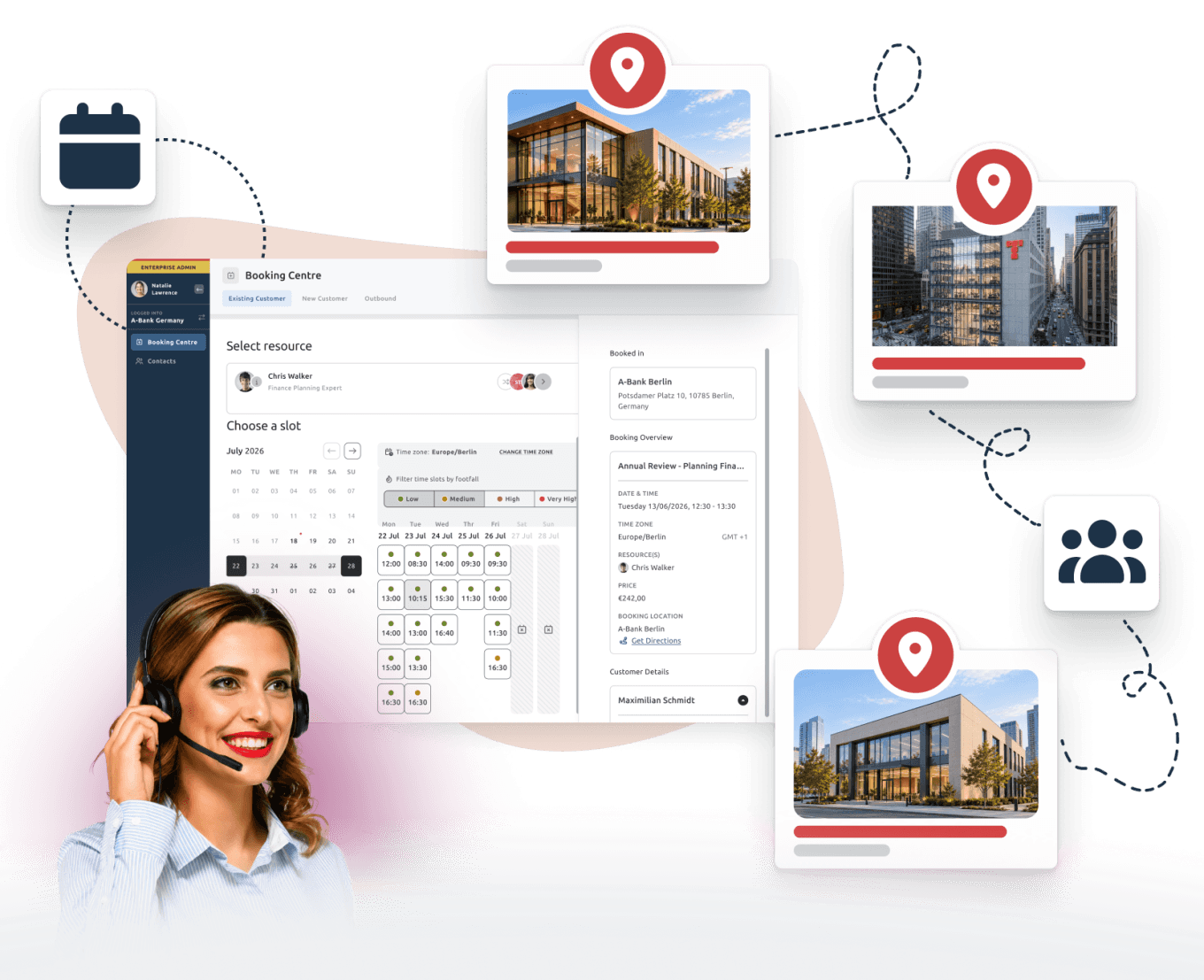

a call centre agent, the timify booking centre interface and several offices connected
Back

A customer calls your central service line because they need an appointment. They know what they need, but not necessarily which location offers it, who is available or where the earliest suitable slot can be found.

They should not have to know.

Customers shouldn’t need to understand your organisational structure to get an appointment.

For organisations with many branches, clinics, stores or service locations, the challenge is to make that complexity invisible to the customer. TIMIFY Booking Centre gives central booking teams one guided interface to manage appointments across the network.

A customer calls one number

The journey starts with a simple request.

A customer may need a consultation, assessment, repair or service appointment. Instead of asking them to contact different locations themselves, a central booking team can handle the request directly.

The agent can identify the customer, search availability and manage the appointment from one central environment without moving between individual branch calendars.

Start with the customer’s need, not the branch

In many organisations, the same service is offered across several locations. Availability, staff and resources may differ from one branch to another.

Booking Centre uses guided booking flows to help agents move through the relevant steps and consistently select the right location, service, booking channel and resource.

For existing customers, branches where they already have bookings can even be prioritised automatically, helping agents find a familiar or relevant location faster.

The conversation stays focused on the customer:

What do you need, and when would you like to come?
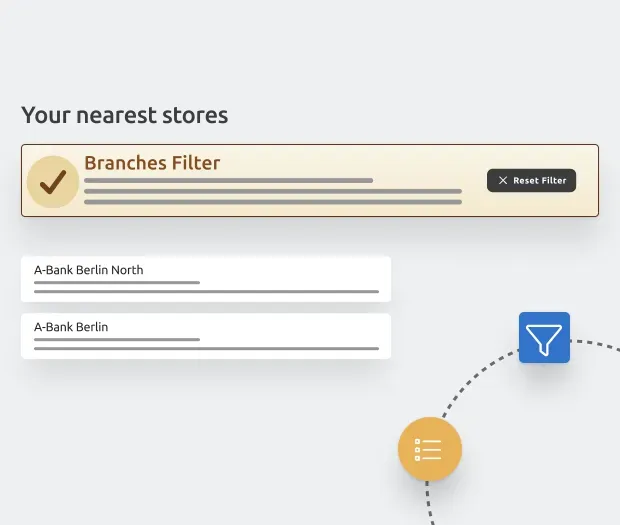
TIMIFY Booking Centre interface

Find the right availability from one interface

Once the service is clear, the agent can search availability across the relevant locations without logging into separate branch accounts.

Booking Centre gives authorised teams access to available time slots while keeping internal branch and employee calendars protected.

The agent can compare suitable options, select the right location and complete the booking during the same interaction.

For the customer, it feels like one organisation. For the booking team, it becomes one connected workflow.

TIMIFY Booking Centre interface

Book directly into the right location

Once the right appointment is found, it can be booked directly for the selected branch.

The local location continues to work with its own employees, resources and real availability, while the central team manages the customer interaction.

New bookings and appointment changes are synchronised in real time with the selected location and the relevant calendar resources.

Central process, local availability

This is where the model becomes particularly valuable for large networks.

The organisation can define consistent booking flows centrally, while each location continues to operate with its own capacity and resources. Booking Centre can also automatically assign resources where no customer preference is required.

That creates a useful balance between:

  • Central consistency in how appointments are booked
  • Local flexibility in how each branch manages availability

The customer does not need to see that complexity. They simply receive an appointment that works.

Manage changes from the same place

The customer journey does not end once the booking is created.

If someone calls back to reschedule or cancel, authorised agents can manage those changes from the same central interface. Changes are reflected across the relevant calendars in real time.

Permissions for booking, rescheduling and cancellation can also be managed separately. This gives organisations precise control over what each team or agent is allowed to do without giving them direct access to internal calendars.
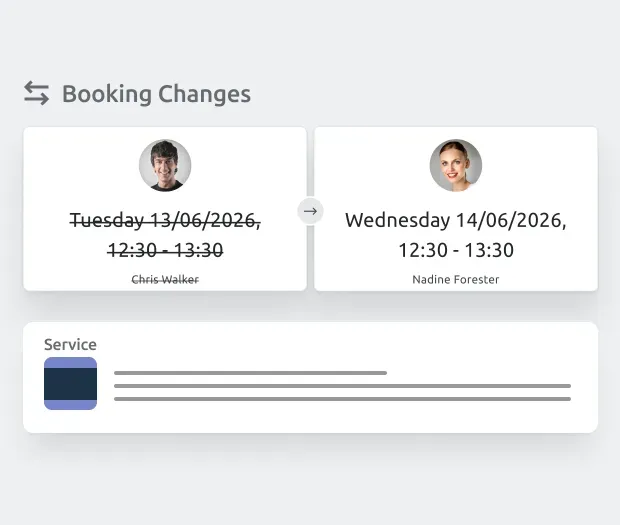

TIMIFY Booking Centre interface

One experience across the whole network

The same challenge appears in many industries.

A healthcare organisation may coordinate appointments across clinics or departments. A retailer may manage consultations across a store network. A public-sector organisation may book citizens into different offices. A service network may connect customers with the branch that has the right specialist or capacity.

The structure behind the scenes may be complex. The experience for the customer should not be.

One booking team. Every location. One connected booking experience.

Kimon Gerhard in a suit with white shirt

About the author

Kimon Gerhard

Kimon is currently pursuing a degree in Business & Economics at WU Vienna, he has been part of TIMIFY for over a year as a Working Student. His focus lies primarily on Sales, Partnerships (Business Development), and more recently, Marketing. In his role, he carries out market research, reaches out to potential partners or sales leads, and contributes to marketing initiatives that strengthen TIMIFY’s position as a leading SaaS solution for scheduling and resource management.

Related articles

TIMIFY Branch Manager: Manage all your business locations from one single dashboard
TIMIFY Branch Manager: Centralized Scheduling for Multi-Location Businesses
Learn more
timify branch manager
How TIMIFY Branch Manager Optimizes Appointment Scheduling for Multi-Location Businesses
Learn more
a man in a dark suit standing besides the timify booking widgets
How TIMIFY simplifies the challenges of scheduling across multiple locations
Learn more