Centralised scheduling, controlled access: A better model for financial-services call centres

By Lukas Alberter
Updated: Published:

Financial-services call centres need to book appointments efficiently without gaining unnecessary access to branch systems or employee calendars. Discover how TIMIFY Booking Centre gives banks and insurers a centralised, permission-controlled way to manage scheduling across locations, standardise booking flows and support internal and outsourced call-centre teams.
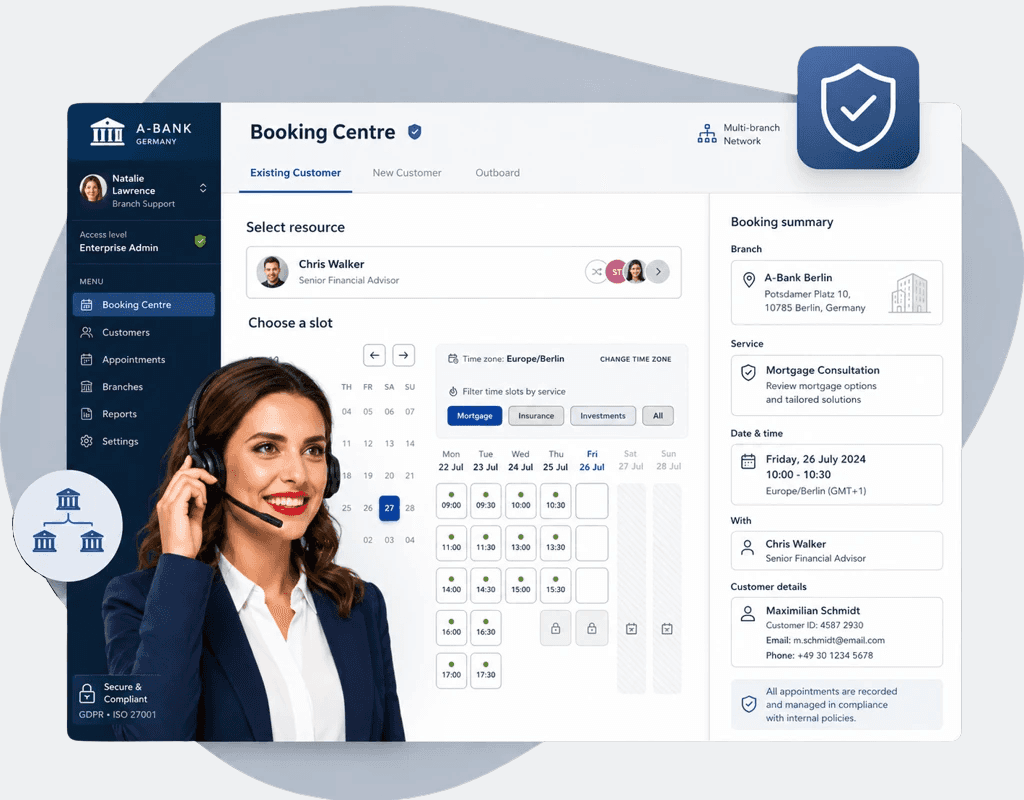

call centre agent in front of a timify interface
Back
call centre agent

For banks and insurers, call centres are often the first point of contact for customers who want to book an appointment with the right adviser, service or branch.

The challenge is not the booking itself. It is giving call-centre agents enough access to complete it without exposing branch systems, employee calendars or administrative functions they do not need.

This becomes especially important when working with external call centres.

TIMIFY Booking Centre provides one controlled interface across multiple locations, focused entirely on the booking process and without direct access to internal branch or employee calendars.

The access challenge behind centralised appointment scheduling

A large financial institution may manage hundreds of branches, advisers and appointment types. Without a central booking environment, call-centre agents may need to work across multiple systems, use different branch logins and receive broader permissions than necessary. For outsourced call centres, this creates an even greater access-governance challenge.

The goal is simple: give agents the ability to book appointments without opening up the entire branch environment.

Give agents booking access, not branch-calendar access

TIMIFY Booking Centre is an internal booking environment within Branch Manager for Enterprise organisations with multiple locations. Authorised agents can schedule, reschedule and cancel appointments through one central interface.

The underlying calendars and resources remain at branch level. Agents work through the Booking Centre instead of accessing individual branch calendars directly.

Control exactly what each agent can do

Booking Centre permissions can be configured individually for scheduling, rescheduling and cancellation. This allows financial institutions to match access to each team's responsibilities. For example:

  • External call centre: Schedule only
  • Internal service team: Schedule, reschedule and cancel

This creates a more controlled access model without making the booking process unnecessarily complex.
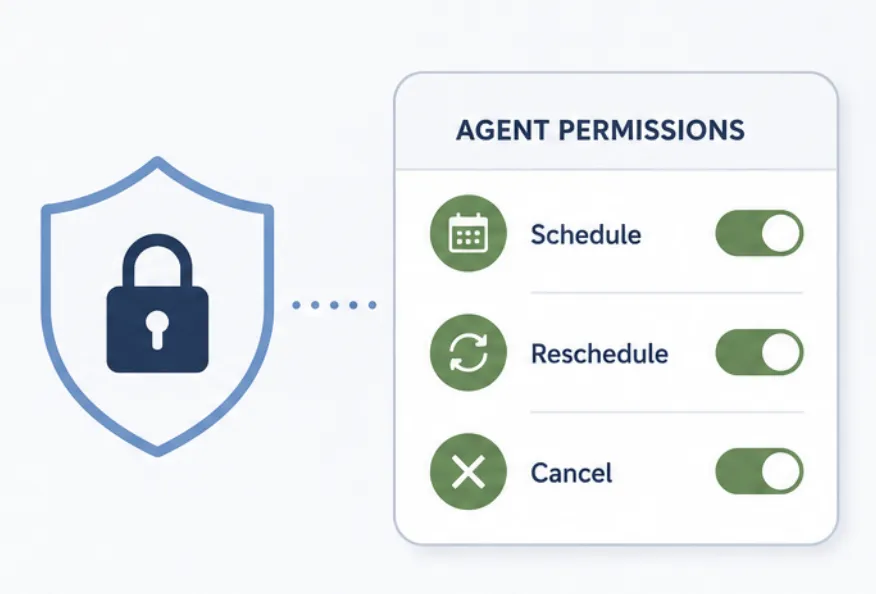
timify booking centre permissions


Guide agents through approved booking processes

Financial institutions need consistent booking processes across locations and service types. The Booking Centre supports dedicated flows for use cases such as:

  • Mortgage and investment consultations
  • Insurance and business banking appointments
  • General branch appointments

Up to five flows can be configured, guiding agents through the relevant location, service, adviser and availability. If no adviser is preferred, TIMIFY can assign an available resource automatically.

Support compliant access models for external call centres

The Booking Centre separates booking functionality from general system access. Agents work in an authenticated, permission-controlled environment with predefined booking processes. This helps financial institutions:

  • Limit access to what each role requires
  • Standardise booking processes
  • Reduce unnecessary exposure of internal systems

For outsourced call centres, this keeps access focused while still enabling efficient customer service.

Central governance across every branch

Booking Centre is configured centrally within Branch Manager. Organisations can centrally manage booking flows, services, resources, availability and user permissions.

This creates one consistent booking model across the entire branch network instead of separate processes for each location.
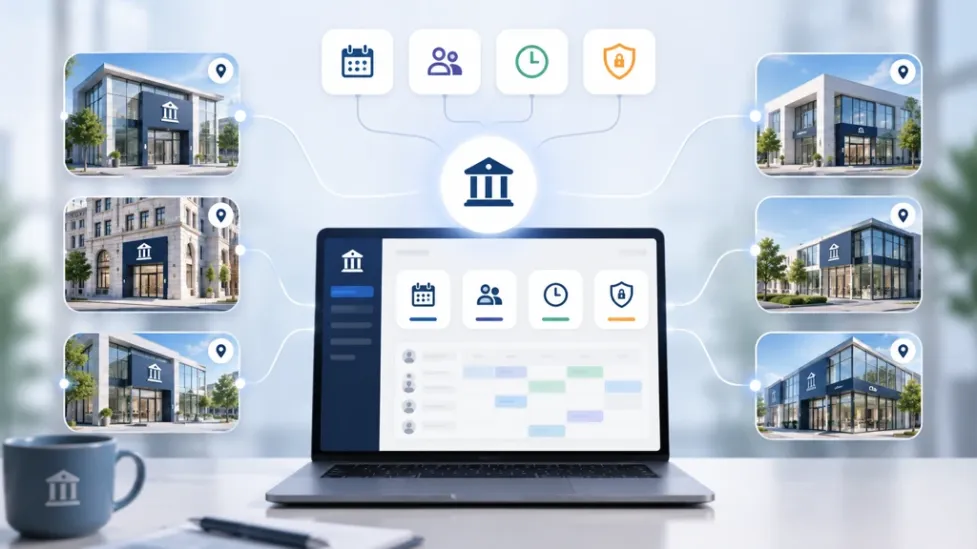

many financial institutions manages by the booking centre centrally


A consistent experience across assisted and digital channels

TIMIFY uses the same underlying Booking Widget engine for both customer-facing online booking and the internal Booking Centre. Customers can therefore:

  • Book independently online
  • Call the bank or insurer and let an agent book on their behalf

Both channels work with the same underlying branch availability.

Controlled scheduling without opening every door

TIMIFY Booking Centre gives financial institutions a controlled layer between their call centre and branch network. It helps them:

  • Centralise appointment scheduling
  • Define precise agent permissions
  • Standardise approved booking flows
  • Avoid direct access to branch calendars

For banks and insurers, this creates a more controlled foundation for compliant appointment scheduling at scale.

Frequently Asked Questions (FAQs)

What is TIMIFY Booking Centre?
TIMIFY Booking Centre is a central booking environment that allows authorised teams to schedule appointments across multiple locations without needing direct access to individual branch calendars.
Can Booking Centre support different appointment types and booking processes?
Yes. Organisations can configure dedicated booking flows for different services, such as mortgage consultations, insurance appointments or general branch services.
Does Booking Centre use the same availability as online booking?
Yes. TIMIFY Booking Centre and the customer-facing Booking Widget use the same underlying booking engine, helping ensure consistent availability across assisted and digital booking channels.
Who can use TIMIFY Booking Centre?
It is designed for internal service teams, central booking teams and outsourced call centres that need to manage appointments across multiple branches or locations.
Does Booking Centre give agents access to branch calendars?
No. Agents book through the central Booking Centre interface while the underlying calendars and resources remain managed at branch level.
Can different agents have different booking permissions?
Yes. Permissions can be configured individually for scheduling, rescheduling and cancelling appointments, allowing organisations to align access with each agent's responsibilities.

About the author

Lukas Alberter

Lukas embarked on his professional journey after earning a Bachelor and Master's degree in Learning Sciences and Educational Research and Management at Ludwig-Maximilians-Universität München. With hands-on experience across HR, recruitment, and educational roles—from tutoring to shaping hiring and organizational strategy at Limehome and Diakonie Rosenheim—he joined TIMIFY in a People & Culture capacity, where he now thrives as P&C Manager. Blending his academic background in learning systems with real-world HR initiatives, Lukas is dedicated to crafting an enriched workplace culture and employee experience at TIMIFY.