Tips & Resources
Data Backup Strategy 101: How to Keep Your Information Safe in Case of Loss

Updated: Published:
Everything you need to know about backing up your business data and how to manage it.


Pohan Lin
Pohan Lin is the Senior Web Marketing and Localizations Manager at Databricks, a global Data and AI provider.
You know how annoying it is when you accidentally close your browser window and lose all the tabs you were working from?
The ‘restore tabs' function in Google Chrome is a game-changer for millions of clumsy people. Rather than having to manually remember, search out, and re-open every tab, we can just go into the tab restoration menu and hey presto! All restored at the click of a button.
Then there's the blessing that is that ‘Restore Pages' box that pops up when you're getting back online after an outage or crash. What did we do before this was an option?

Chrome is able to provide these services because it's continually backing up your browsing data. When there's a problem, it uses backed-up data to return you to the point you were at before things went wrong.
You can also back up your business data. And you should.
The word ‘data' sounds very modern. But it's just a newfangled word for ‘information'. Sure, that information tends to come in digital form, but when you extract and analyse it in the right way, it's still used in the same way that information always has been.
Information means knowledge, and knowledge means power and success. This is why data is so valuable.
As well as being valuable, data is sensitive. Customer data is particularly sensitive. When customers give you things like their address, date of birth, preferences, and so on, they're trusting you to prevent that data from falling into the wrong hands. And if you lose that trust, it's hard to regain it.
Even if you don't lose customer data to malicious actors, your customers won't thank you for having to hand over their data again. Nobody wants to fill out more forms than they absolutely have to!
So, if you lose your data, you risk several things:
- Losing the information you need to run your operation - purchase orders, protocols, contact information etc.
- Losing the trust of your customers.
- Losing the trust of governing bodies and industry peers.
Even one of these things can spell disaster for your business - all of them at once could sink you.
That's why it's so important to have a data backup strategy.
Here, we'll take you through everything you need to know about backing up your data, from why it's so important to the tools you need to do it.
What is a data backup strategy?

A data backup strategy ensures that your data is safe from events that could compromise your data, such as:
- Power outages
- Tech problems
- Cyber attacks
- Access problems
With a good data backup strategy, your vital data will be protected, preserved, and accessible no matter the circumstances.
Why do you need a data backup strategy?
We’ve spoken above about some of the ways that your data can be lost or compromised. In this age of remote working, a lot of these factors are riskier than ever.
For example, if your workers are all accessing data in the cloud from multiple remote locations, there are multiple ‘entry points’ where things can go wrong. What’s more, the potential for human error rises when people are working unsupervised.
You don’t have to lose the many advantages of remote working to solve this issue. You just need good cybersecurity practices and a decent data backup strategy.
It’s also worth noting that data breaches can bring penalties with them. Most developed nations take data security very seriously. Under regulations like PIPEDA, CCPA, and the GDPR, your company could be fined huge chunks of your profits for not protecting your data well enough. Implementing strong security features in your backup solution, such as encryption and multi-factor authentication, can help meet compliance requirements and demonstrate your commitment to data protection.
While a data backup strategy won’t fully protect you from repercussions if your data is stolen, having one in place will show the authorities that you’re doing all you can to keep data safe and secure. This will work in your favour when it comes to deciding on penalties.

Most of all, what a data backup strategy does is ensure that you can get back on track quickly and easily if something goes wrong. It’s a slightly more complicated version of ‘restore tabs’ that means you can get back to what you were doing without any hassle. Disaster recovery is a core benefit of a robust backup solution, enabling you to restore systems and data efficiently after unexpected events.
How to back up your data effectively
We've been through the theory of data backup. Now, it's time to get into the practicalities. Here's how you do it:
Use the right backup software
When researching your data backup plan, you’ll find that there’s a ton of tech options out there to help you. From RDD to DataFrame PySpark, there’s a lot out there, and it can get complicated!
Our advice is not to worry too much about the finer detail. When strategising, concentrate on your broad needs. The tools and tech that work for you will depend a lot on how your particular business works.
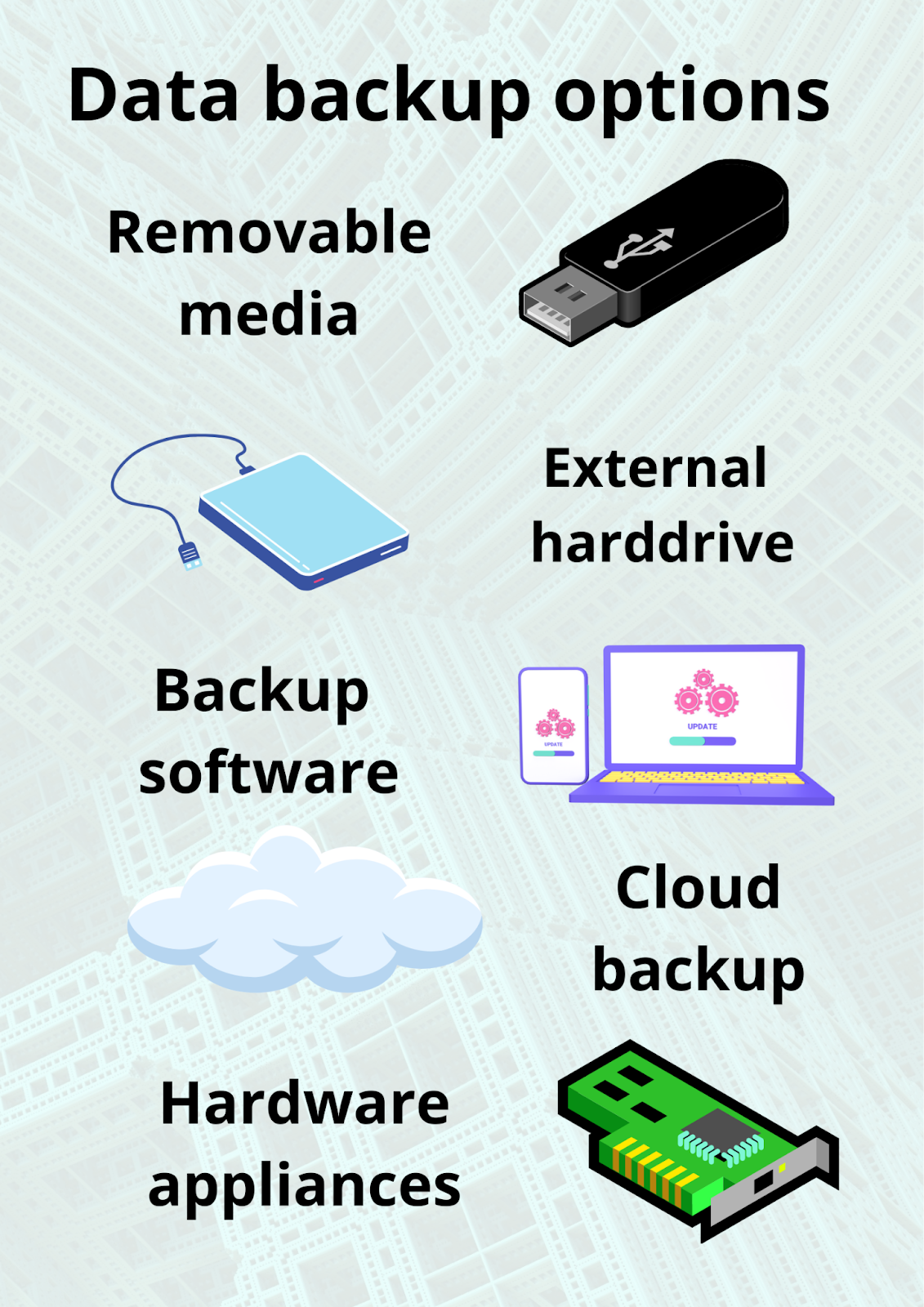
Broadly, you’ll find that there are several main data backup options:
- Removable media (including physical backup options like Blu-ray discs, CDs, and DVDs for long-term storage)
- External hard drive (an external drive provides quick access and recovery)
- Local backups (backups stored on a physical drive directly connected to your system, such as an internal or external hard drive)
- Hardware appliances (including network attached storage devices for reliable, always-on data storage)
- Backup software (including backup apps, backup programs, and backup applications with features like file encryption, two factor authentication, and ransomware protection)
- Cloud backup
- Cloud storage and cloud storage service (remote data hosting and backup, allowing access from anywhere with an internet connection)
Cloud backup services and online backup services offer secure, remote data protection with features like encryption, versioning, and multi-factor authentication. These services allow you to schedule backups, store backup files offsite, and restore data from any device, providing strong protection against natural disasters, physical disasters, and hardware failure.
All of these have advantages and disadvantages. For example, removable media and hardware appliances are secure from remote attack, but at the same time, they’re hard for remote employees to access. Cloud storage and cloud backup solutions require a stable internet connection but offer remote access and redundancy.
When considering backup tools, look for backup apps, backup programs, and backup applications that support multiple devices (computers, mobile devices), offer integration with cloud storage, and provide robust security features. Acronis True Image is an example of a comprehensive backup solution that supports disk image backup, file backup, and versioning, and works across different operating systems, including for Linux users.
It’s worth researching to find out the best fit for your business. Remember—you don’t have to commit to just one. You could have a hybrid combination of hardware and software, cloud solutions and internal solutions. Using multiple storage types increases redundancy and protects your original data and backup copy from risks like hardware failure, natural disasters, and cyberattacks.
When planning your backup method, consider what data to back up—including documents, system files, and media files. Use file backup for important user data, file history for versioned backups, and tools like file explorer or windows explorer to manage and restore files. Google Drive can be used as a cloud storage option for syncing and storing files, but dedicated backup solutions often provide more comprehensive features. Mobile apps allow you to manage and access backups from your phone or tablet, and a sync tool helps keep files consistent across devices.
Understand the different backup types: full backup (a complete copy of your data), incremental backups (only new or changed data since the last backup), and differential backup (all changes since the last full backup). Disk image backup creates a complete snapshot of your system for disaster recovery.
Maintain redundancy by keeping a copy of your data and a backup copy on different media, including an offsite copy to protect against physical and natural disasters. Manage your backup files with services that offer versioning, so you can recover previous versions and know how many versions are kept. Free version and free backup options are available, but may have limitations compared to paid backup services.
Most backup solutions support a range of features, including compatibility with various operating systems and backup services for both individuals and businesses. Always prioritize security features like file encryption and two factor authentication to protect your backups.
Appoint a backup administrator
A lot of the backing-up process can be automated - but when you're working with something as important as data, it's still worth appointing a human overseer.
Your backup administrator's duties could include things like:
- Ensuring that the right data is being backed up at the right time
- Checking that backup tools and software are up to date
- Making sure that everyone is up to date on backup measures. For example, by sourcing and organising Apache Kudu training
- Advising on necessary upgrades/changes to the backup system
- Verifying backups
- Maintaining an audit trail for backups
If you're lucky enough to have a cybersecurity team, it makes sense to choose your backup administrator from among their ranks. Things like labour forecasting will keep you ahead of the game when it comes to having the right cybersecurity staff.
Have an RPO (Recovery Point Objective) and an RTO (Recovery Time Objective)
This is all about risk and loss management.
By setting an RPO, you establish what data (and how much of it) you can afford to lose. You calculate it by how often you backup your data. For example, if you back it up once a day, your RPO is 24 hours.
The lower your RPO, the more at risk your data is. A low RPO also means that backing up will take greater time and resources when you do it (due to higher levels of data). However, a lower RPO for less important data could also save you some bandwidth. So consider it carefully.
To help figure out your ideal RPO for each dataset, think about your RTO. The Recovery Time Objective assesses how much fallout there will be from any data loss. Specifically, it tells you how much time you can afford to lose in any given data outage.
For example, losing login details from your app is likely to have an RTO of seconds, especially if people log into your app frequently. But losing details of logins to your old, redundant website has an RTO of years.
RPO and RTO will help you rank your data, which you can use to set up an efficient backup schedule. Speaking of which…
Set up a schedule
Scheduling is an essential skill for any good business owner.
First, decide which data files need backing up. Rank them in order of importance. This will help you establish an effective schedule. The more important files should be backed up more frequently than the others with a backend service.
Once you've scoped and ranked your data, establish a backup schedule. This will not only give you a routine to work to, but it will also set a benchmark by which you can determine when things are sliding.


Related articles

Product & Feature
Idle Session Timeout Best Practice: Set Up Protection with TIMIFY

04 June, 2021

Tips & Resources
6 Consumer Data Protection Tips Your Business Should Follow

02 September, 2022
Product & Feature
Idle Session Timeout Best Practice: Set Up Protection with TIMIFY
04 June, 2021