Product & Feature
6 Tips on How to Schedule Appointments with Clients Effectively

Updated: Published:
Learn how to schedule appointments with clients easily. Retain and win new clients and reduce cancellations.


Jon Morgan
Jon is the founder of two successful e-commerce and SaaS businesses. He's passionate about sharing what he has learned from working with business owners through Venture Smarter.
1. Use scheduling software
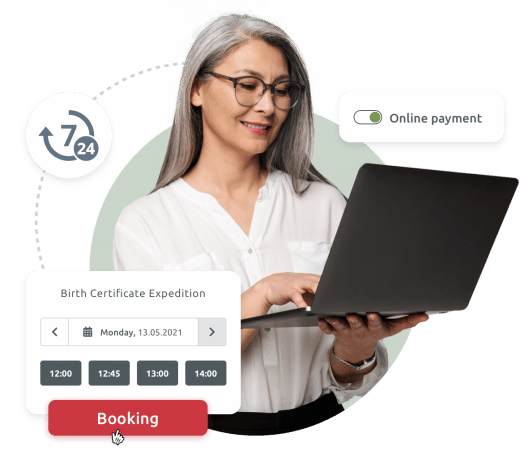
The scheduling software can be an online or a desktop appointment scheduling app. According to VerifiedMarketResearch, corporate appointment scheduling is expected to grow tremendously by 2027 across multiple industries. So, you shouldn’t hesitate to use scheduling software for your business.
Using online booking systems makes it easier and faster for clients to book appointments with you. Appointment scheduling tools like TIMIFY have features such as Google calendar integrations and automated email reminders that help you and your client to avoid missing appointments.
The software also makes it easy for business owners to manage employees’ availability and provide better customer support. For example, Apple requires clients to book an appointment before going for device repairs or any other service.
Additionally, the ability to accept bookings online offers convenience for both businesses and customers, enhancing engagement and sales.
Another important feature of appointment scheduling software is the ability to create resource dependencies for certain services. This means you can set up staff members, rooms or equipment that are essential for certain services. Now, when a customer books that service, all essential resources will automatically be reserved. This can help bring huge efficiency gains through real-time visibility of the availability of your staff and equipment resources.
Digital booking systems also ensure one-click booking from every page of your website, social media, smartphone and tablet apps and even your Google Maps or Search results pages. You can add QR codes to shop windows, business cards, flyers, and waiting rooms. This all helps to ensure customers’ quick access to booking appointments across platforms, whether online or offline.
When choosing an online booking software solution, look out for one that allows you to collect and manage client information with ease. You should also ensure that the appointment scheduler will let you collect appointment details about why your clients want a meeting.
It’s also a big plus if your scheduling software allows online payments so that the clients who want to pay beforehand can do so. Alternatively, the software could have integrations with payment platforms that serve the same purpose.
Finally, make sure you use scheduling software that’s compatible with mobile phones. This way, your clients can conveniently book, accept, and cancel appointments on the move.
Setting Up Your Appointment Schedule
Setting up your appointment schedule is a crucial step in implementing an online booking system. To get started, you’ll need to define your business hours, services, and availability. This involves determining when your business is open, what services you offer, and when you and your staff are available to meet with clients.
Next, you’ll need to set up your scheduling rules. This includes defining buffer times between appointments to allow for preparation or travel, setting appointment durations based on the type of service, and establishing scheduling limits to prevent overbooking. These rules help ensure that your schedule runs smoothly and that you have enough time to provide quality service to each client.
Integrating your scheduling software with your Google Calendar or other calendar systems is also essential. This ensures that all your appointments are synchronized across platforms, reducing the risk of double booking and making it easier to manage your schedule. By following these steps, you can set up an efficient appointment schedule and get started with online booking.
2. Engage with customers
Customers appreciate it when the service provider pays attention to them. So, you should always empathize with your customers.
Managing booked appointments is crucial for both the business and the client, as it ensures a smooth and organized schedule, enhancing the overall experience.
The best way to get this message across is by engaging the client. Before accepting an appointment, ask as many relevant questions as possible. You can ask questions such as:
- How long should the appointment be?
- Will the appointment be virtual or in a physical location?
- How many meeting attendees will there be?
- What will be the main agenda for the meeting?
- Do they have any special requests beforehand?
If you cannot do this one-to-one or on VOIP calls, then ensure that you have a form the customer can fill out so that you can understand how they need your help.
You can further engage with customers through newsletters, social media, and interacting with their comments on your website. By finding avenues to communicate with your clients continually, you become a part of their experience, and whenever they need a service you offer, they will schedule with you.
Scheduling software solutions like TIMIFY can help engage with customers by:

- offering ultimate convenience and one-click booking
- using previous customer data to pre-populate booking forms next time
- broadening the range of online and offline services possible
- giving customers the freedom to choose the perfect time and even employee for them
- transforming drop-in services to reduce wait times and overcrowding
- offering omnichannel interactions that let customers switch between the channels that suit them best at a given time
- incorporating feedback channels and 3rd party platforms to ensure you engage in conversation and feedback
A customizable booking page can further enhance client engagement by allowing clients to book, reschedule, or cancel appointments easily. This feature integrates with various calendars and can be shared through different platforms, making the scheduling process seamless and efficient.
Engaging your customers is an excellent way to ensure that they honor their appointments and assure them that you are available for the time they booked.
4. Prioritize customer privacy
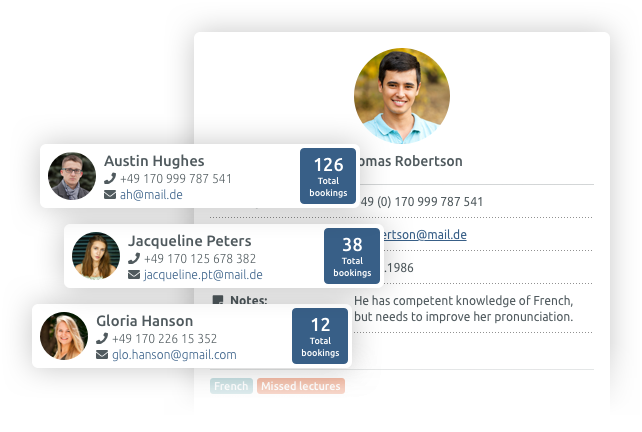
Protecting your customer’s privacy should be a priority. For example, when using scheduling software and a slot is already booked, it should only show that it is unavailable. It should not reveal the details of whoever booked the slot.
Also, if booking an appointment requires the customer to provide sensitive information like health status, home address, email address, or credit card details—it is essential to keep such information private. You must reassure clients that their personal information is safe with you.
If your booking process is done online, you can take this further by providing a privacy statement on your website to show customers how you use their personal data. Businesses looking for a digital scheduling system with a client database should also look for assurances they are compliant with all data legislation in their region.
When clients know that you care about their privacy, they are more inclined to trust you, book with you, and follow up with their appointment.
6. Follow up to reduce no-shows
If the client fails to show up after they have booked with you, it can be frustrating. Therefore, it is in your business' best interest that you make sufficient follow-ups to understand no-shows and take steps to minimise them in future.
The secret to efficient follow-up is a process that stops clients from missing appointments. For instance, you should not reach out with the question, “Are you showing up?” Instead, you should reach out with a new piece of information and express that you are looking forward to your appointment.
You can tell a client that you have been looking at their file and have discovered something interesting that you are excited to discuss in the next appointment. This makes the experience more personal and the customer more likely to attend.
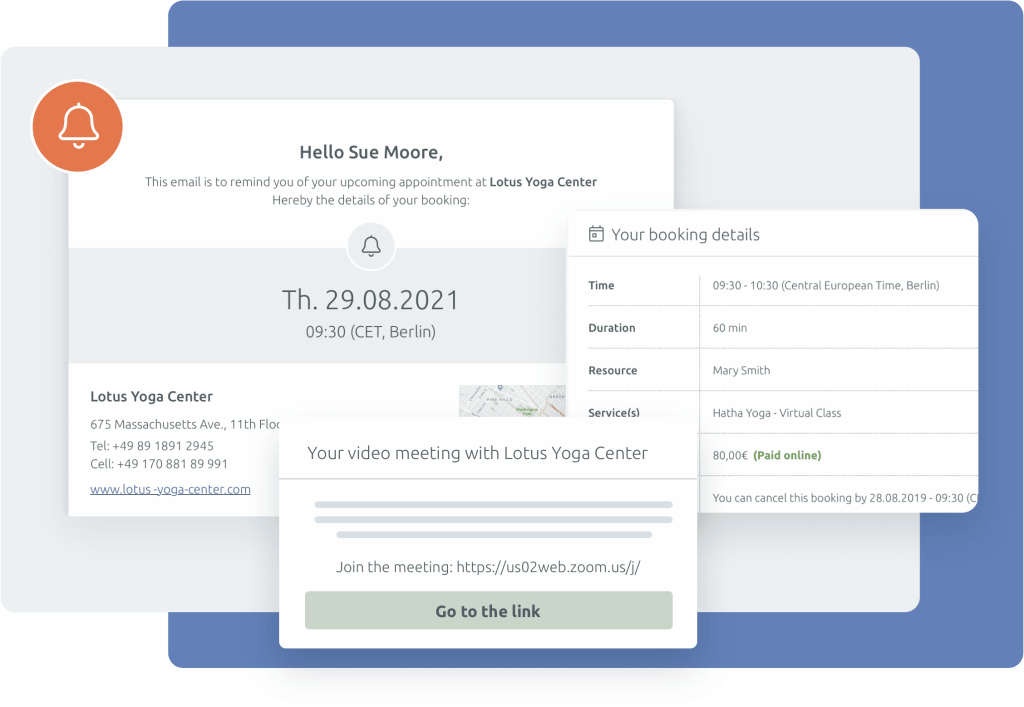
Also, you can send the client reminders before the meeting time. You may even prompt them to confirm their attendance when you reach out to them.

Related articles

Tips & Resources
7 Reasons Why Appointment Scheduling is Good For Your Website

11 February, 2022

Tips & Resources
How to Make a Process That Stops Clients From Missing Appointments

15 September, 2022

