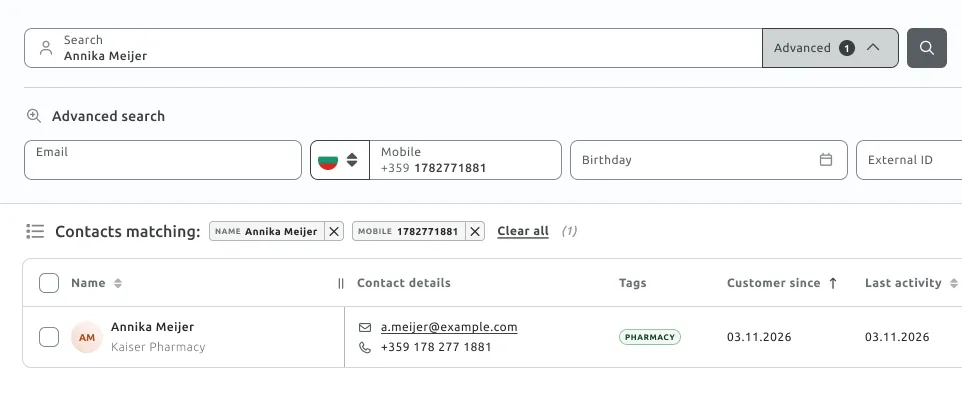
The Customers module is now Contacts in the timify WebApp and Branch Manager. Type a few letters and one detail the caller gives you, and the right person is on screen in a fraction of a second.

A caller gives a surname that dozens of other customers share. A bank adviser has to confirm who is on the line before discussing anything. A clinic needs the patient born on a certain date, not another patient with the same name. Each case asks the same thing of a customer list: find one specific person, fast, and be certain it is the right one. That is the job timify rebuilt its customer module for. The module is called Contacts, and this article explains what it does, part by part.
A customer list designed for a few thousand records starts to fail as it grows. It fails in 3 ways.
In a large account, a single search can take more than a second. On the phone, the caller waits through every one of those seconds, many times a day.
A common surname returns a long list. Without a reliable way to narrow it down, staff scroll and guess.
Callers often give a date of birth or a phone number first. In many customer lists, a date of birth cannot be searched at all. A phone number only matches when it is typed exactly as it was stored.
The cost is more than time. In a booking center, it means callers waiting on the line. In banking, serving the wrong person is a compliance risk.
Contacts is the customer database built into timify: the list of every person who books with you. It replaces the Customers module in Web App, where each location runs its day, and in Branch Manager, where head office runs the whole account. Every account moves to Contacts at the same time, and the switch needs no action from you.
The module works the same way in both products. The difference is scope. In Branch Manager, head office sees every contact in the account. In Web App, a team sees the contacts of its own location. Each user only finds, opens, and exports the contacts their permissions allow. timify checks this on its servers, not only on the screen.
Behind the list, customer search runs on a search technology built for very large accounts. Contacts is available on every timify plan. A few capabilities depend on the plan, and this article notes each one.
How timify handles this
Contacts brings contact management into the timify Scheduling Intelligence Platform. Online bookings create or match a contact automatically, and every booking adds to that person's history. Search, records, and exports all work from the same data your teams schedule with.
Find out more in our 6 support articles
Type 3 letters of a first name, last name, or company name, and Contacts lists the matching people in a fraction of a second. This holds even in an account with a million contacts.
Name parts can be typed in any order. Names with accents, apostrophes, and hyphens are found correctly.
The list always shows the exact number of matching contacts, never an estimate. One look tells staff whether the search is precise enough to act on, or whether they need one more detail.
The main search field searches names and company names only. That focus is what keeps it fast. Contact details, such as the email address and the phone number, have their own exact fields, described in the next section.
When several people share a name, one exact detail identifies the right person. Advanced search adds 4 exact fields:
Combine part of the name with one of these details, and the list narrows to the one person on the line. Each criterion shows as a label above the list, next to the exact count. Staff see what they searched for and can remove any criterion with one click.
Exact means complete. Part of an email address or part of a mobile number does not match. Advanced search is available from the Premium plan.
Finding the record is not the same as verifying identity. Where your rules require a security check, for example in banking, staff run that check against the record Contacts has found.

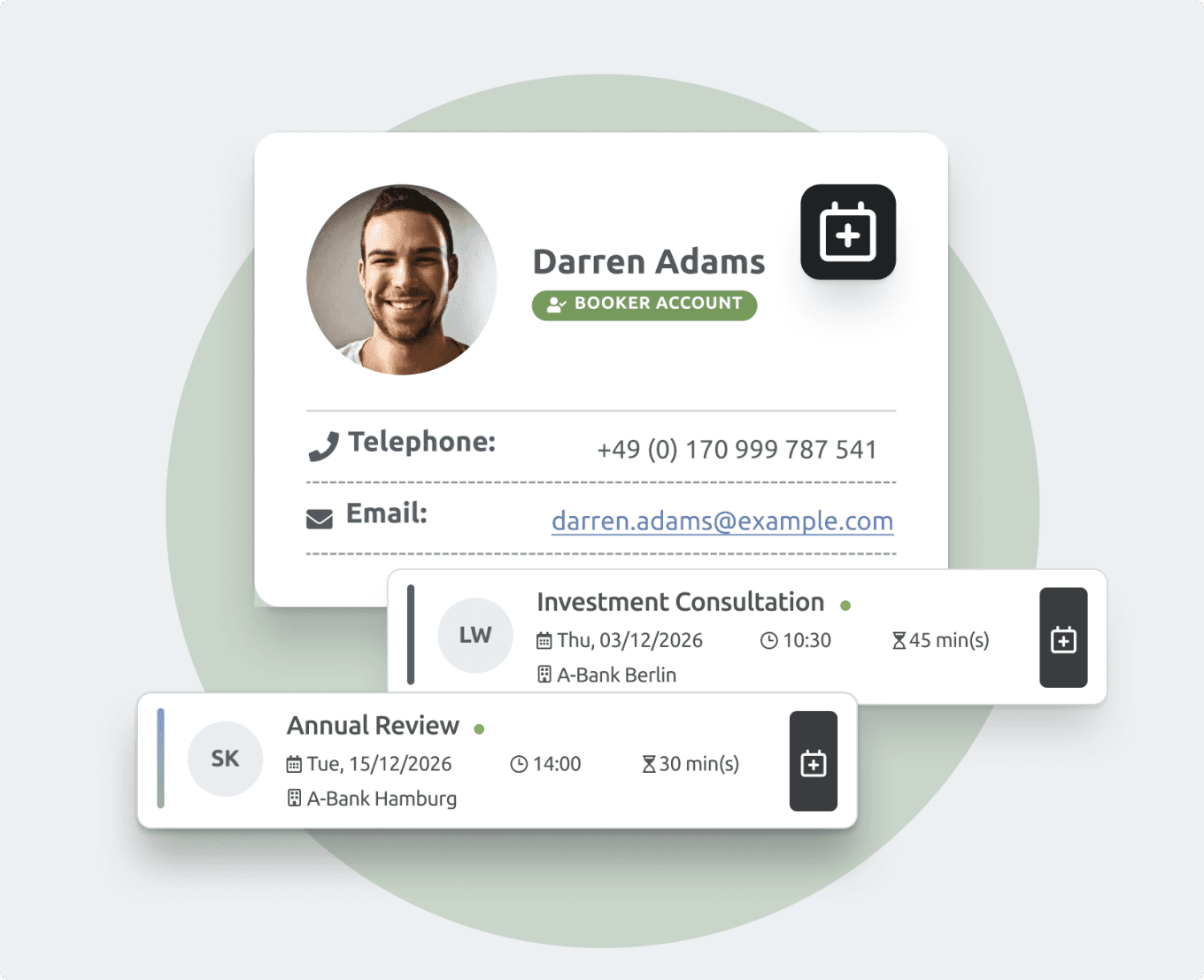
The contact record is the booker profile: It shows everything about a person in one view. Details sit in clear sections, such as contact details, address, and the fields your business defines, instead of one long list.
The booking history is part of the same record. From each booking, staff can cancel it, reschedule it, or schedule it again for the same person. In WebApp, the record also shows the person's payments.
Staff can book straight from a contact. In our Branch Manager, this opens Booking Center with the person's details already filled in, when your account uses Booking Center. In WebApp, fast booking does the same on the Enterprise plans.
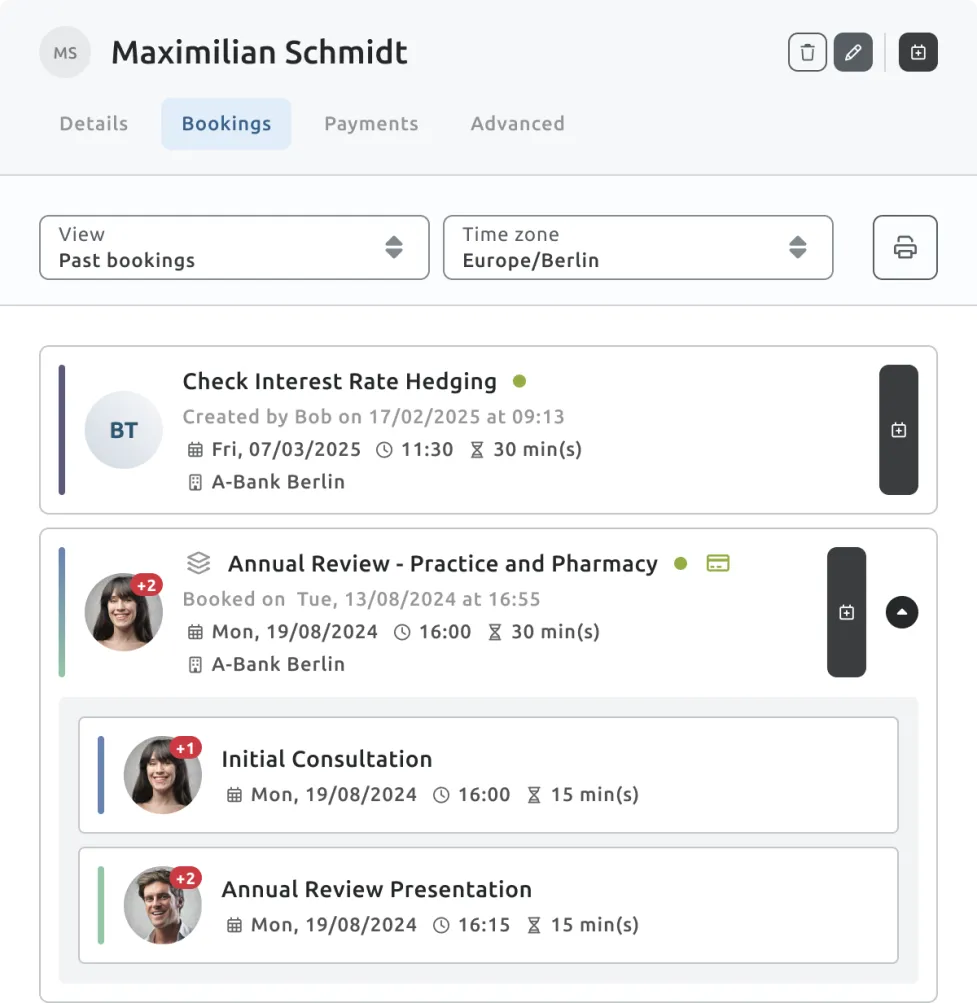
Each user can choose the columns in the list, change their widths, and set the sort order. Contacts remembers the layout for each user. A booking center agent and a head office analyst can each keep the view they need.
On the Enterprise plans, contacts can carry tags: labels you attach to group people, for example your VIP customers. Tags show in your own colors, and one click on a tag filters the list to every contact that carries it.
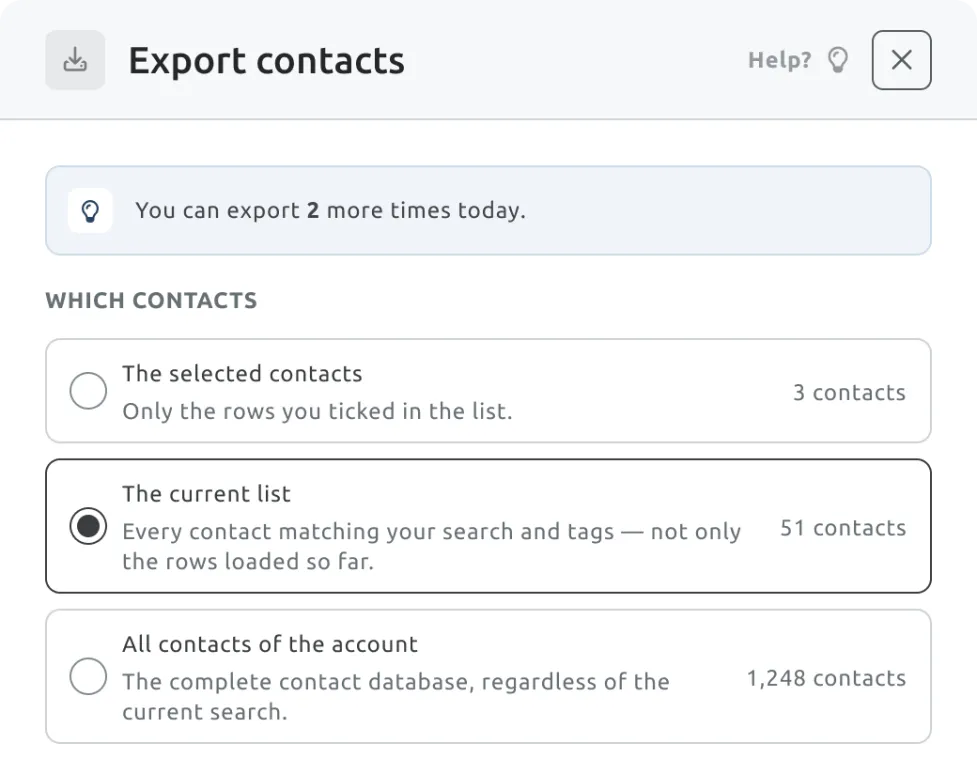
Admins can take exactly the contacts they need out of timify: for a mailing, for another system, or for your data protection officer. One dialog asks 3 questions, and each answer shows how many contacts it covers.

Every timify account gets Contacts. The benefit grows with the size of the customer list and the number of locations.
Walk through name search, caller identification, and export with a timify expert.

Lukas embarked on his professional journey after earning a Bachelor and Master's degree in Learning Sciences and Educational Research and Management at Ludwig-Maximilians-Universität München. With hands-on experience across HR, recruitment, and educational roles—from tutoring to shaping hiring and organizational strategy at Limehome and Diakonie Rosenheim—he joined TIMIFY in a People & Culture capacity, where he now thrives as P&C Manager. Blending his academic background in learning systems with real-world HR initiatives, Lukas is dedicated to crafting an enriched workplace culture and employee experience at TIMIFY.