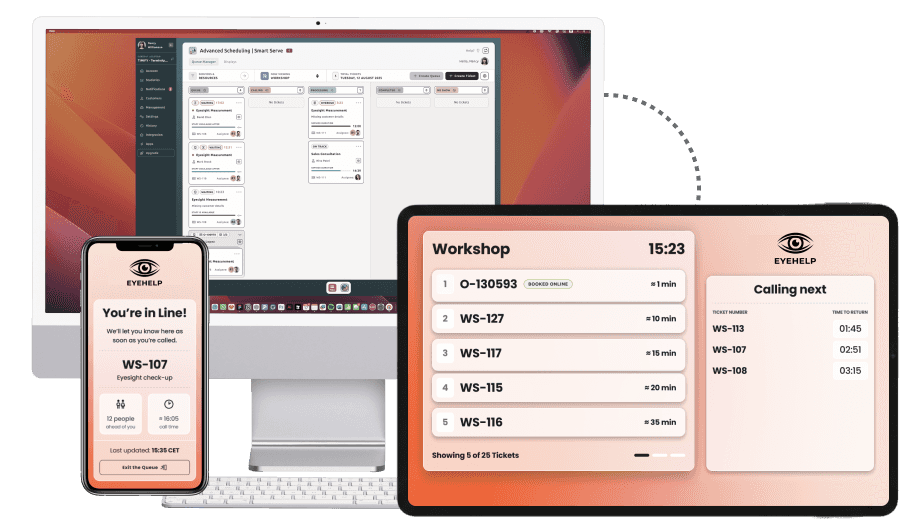
TIMIFY Smart Serve

Queue Management Software for Appointments and Walk-Ins together

TIMIFY Smart Serve connects scheduled appointments, spontaneous walk-ins, check-ins, staff availability, live queue displays and customer updates in one intelligent service flow.
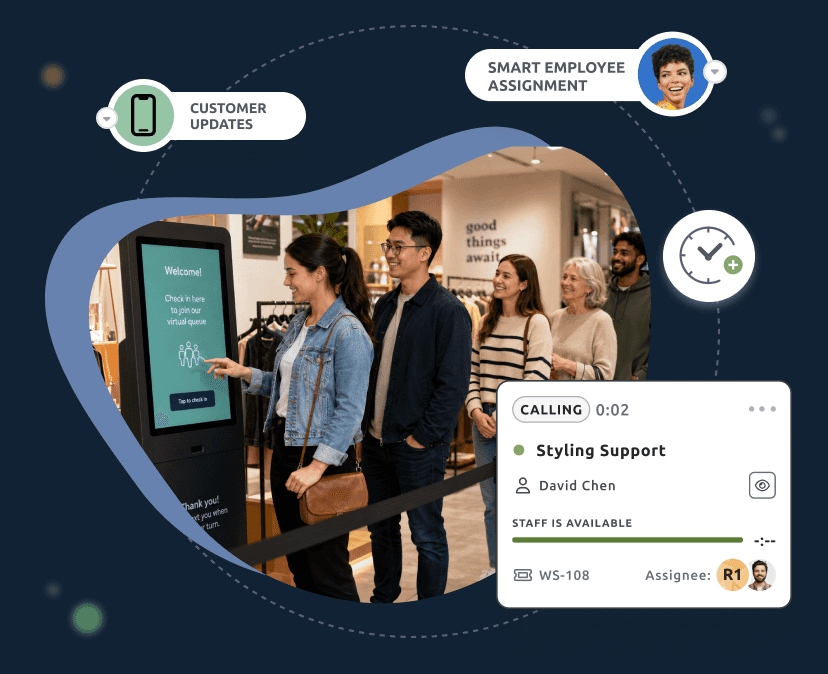
Customers checking in at a self-service kiosk with Smart Serve queue and staff assignment updates

So what is TIMIFY Smart Serve?

TIMIFY Smart Serve is an intelligent queue management and service orchestration solution that helps businesses manage scheduled appointments and walk-ins in one real-time queue.

It extends the TIMIFY calendar with live queue logic, customer check-in, resource coordination, delay handling, queue displays, digital tickets and staff workflows.
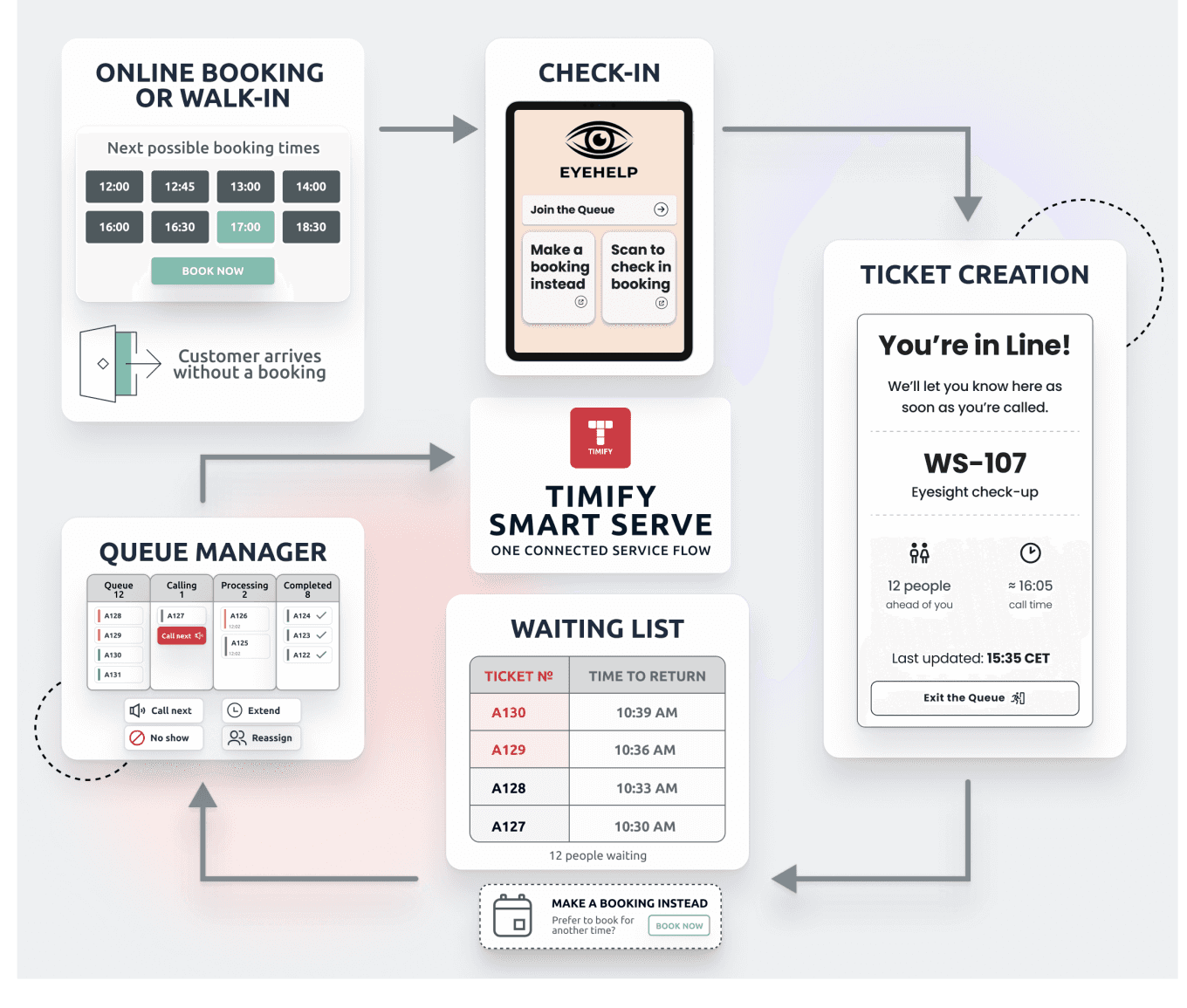
TIMIFY Smart Serve flow connecting online bookings, walk-ins, check-in, ticket creation, queue management and waiting lists

Your Schedule Is Planned. Your Day Is Not.

Half your day is appointments booked online , eye tests, advisories, hearing consultations. The other half is walk-ins who arrived without a booking. They share the same staff and the same hour. Most platforms manage one stream and pretend the other doesn't exist, so businesses end up running two tools, two waiting lines, and no shared picture of who's actually next.
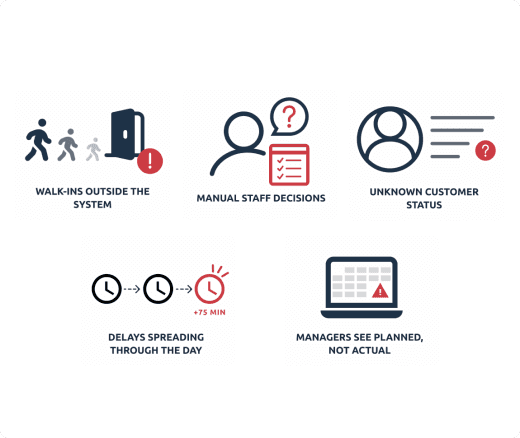
Operational challenges including walk-ins outside the system, manual staff decisions, unknown customer status and daily delays

From Static Scheduling to Live Service Orchestration

Smart Serve brings online bookings, walk-ins, check-ins, resources and customer-facing updates into one live queue. The result is a calmer service environment where customers know what is happening, staff know what to do next and managers gain a more accurate view of daily operations.
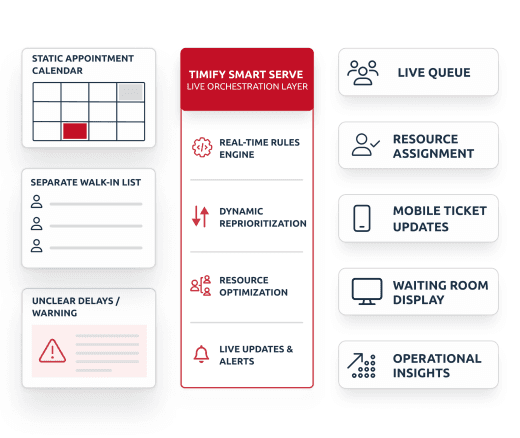
Smart Serve live orchestration layer connecting appointments, walk-ins, delays, resources, mobile tickets, displays and operational insights

Why Smart Serve Is More Than a Queue System

Many queue systems start when a customer takes a ticket. Smart Serve starts earlier - with the appointment. Because Smart Serve extends TIMIFY scheduling, it connects the customer’s full journey.

Orchestrate appointments, walk-ins and resources
Connect to the scheduling flow before arrival
Help teams understand what changes when service reality shifts
Extends TIMIFY’s appointment scheduling logic
Supports mobile tickets, waiting room display and kiosk flows
Real-time delay recalculation and queue update

How Smart Serve Works

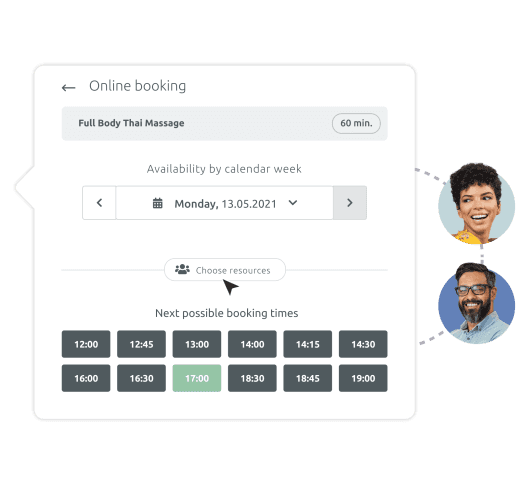
Online booking interface showing available appointment times and resource selection

Appointments Become Live Tickets

Some customers arrive with an online booking. Others simply walk in. Smart Serve brings both into the same ordered queue as soon as they arrive, so teams can manage planned appointments and spontaneous visits from one shared flow.

Booked customers can check in with a QR code or booking number, turning their appointment into an active queue ticket.
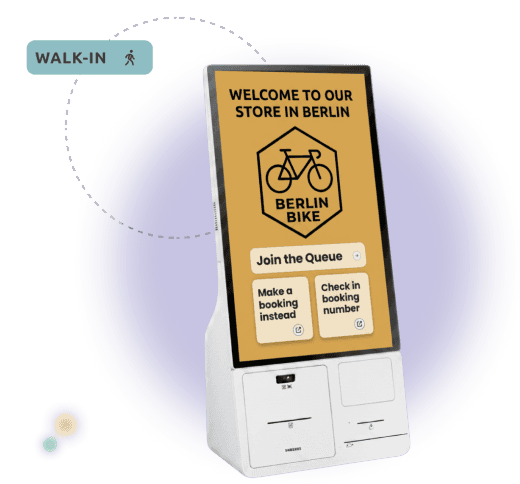
01
a kiosk with the smart serve landing page for walk-ins

Walk-Ins Join the Same Service Flow

By self service: At a kiosk or tablet the customer scans their QR or taps "Join the queue".

In concierge mode: an associate greets them and creates the ticket. Either way, the booking becomes a live queue ticket.

And they enter the same queue logic as booked customers.
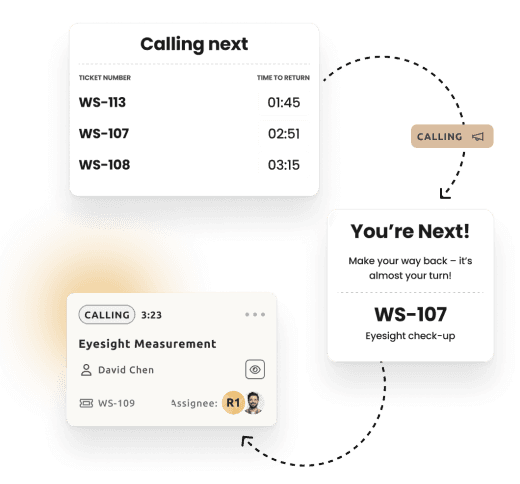
02
three screenshots showcasing the customer updates smart serve sends to customers

Smart Serve Updates Every Touchpoint

Queue changes are reflected instantly across mobile tickets, waiting-room displays, kiosk views and staff dashboards. Customers always see the latest status, whether they are waiting nearby or following the queue on their phone.

When they are called, the mobile ticket shows what to do next, from returning in time to leaving the queue or booking a later appointment instead.
03
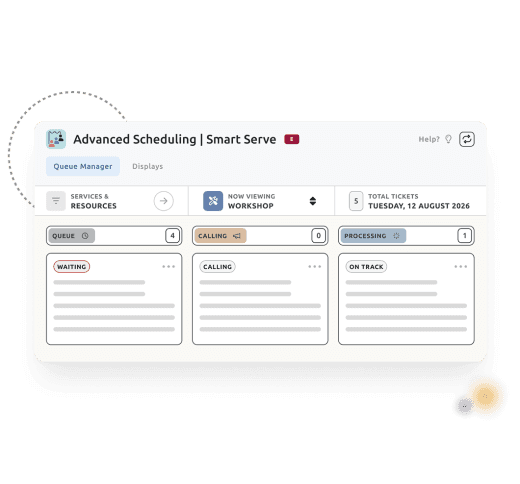
Queue management interface showing staff actions for calling, processing and managing customer tickets

Staff Manage the Queue in Real Time

The Queue Manager gives staff one live board for bookings, walk-ins, check-ins, resources and ticket status. Teams can call customers, move tickets through the flow, add time, reassign resources or mark no-shows, all from one workspace.

Every action updates the queue in real time and records what actually happened, from no-shows to actual service duration. This keeps the service day clear, controlled and easier to improve over time.

04

The Smart Serve Principle: Predict. Adjust. Verify.

Appointment and ticket prediction icon

Predict - See What Is Coming

Smart Serve uses upcoming appointments, service durations and resource availability to create a live projection of the next part of the day. Your team can see expected demand before it becomes pressure - helping staff prepare for upcoming appointments, walk-ins and possible bottlenecks.

Queue adjustment controls icon

Adjust - React When Reality Changes

When a service runs longer, a walk-in joins the queue, a booking is cancelled or a resource becomes unavailable, Smart Serve updates the flow in real time. Instead of letting delays create chaos, the system recalculates queue order, waiting estimates and resource assignments where possible.

Verified customer update icon

Verify - Keep Every View Accurate

Every update is synchronised with TIMIFY’s scheduling logic, so staff dashboards, customer displays, mobile tickets and queue views all reflect the same operational reality. This helps teams avoid double bookings, missed updates and conflicting information.

Give Staff the Control They Need Without Adding Manual Work

  • See the full queue: waiting, calling, in service and tickets needing attention.
  • Manage tickets fast: call customers, mark no-shows, adjust time and reassign resources.
  • Keep context connected: filter by service, staff or resource while customer details stay attached.
Staff member using TIMIFY Smart Serve Queue Manager to manage live customer tickets and service status
GET STARTED TODAY

Make Every Customer Arrival Easier to Manage

See how TIMIFY Smart Serve can help your team connect

  • appointments
  • walk-ins
  • staff availability
  • queue displays
  • and customer updates

in one intelligent service flow.

Frequently Asked Questions (FAQs)

What is the TIMIFY Smart Serve queue management software?
TIMIFY Smart Serve is intelligent queue management software that helps businesses manage scheduled appointments, walk-ins, customer check-ins, staff availability and live queue updates in one real-time service flow. It extends TIMIFY’s appointment scheduling logic with queue management features, helping teams stay in control when daily operations change.
Can Smart Serve update waiting times and queue status in real time?
Yes. Smart Serve works as a real-time queue management system. When a service runs longer, a walk-in joins the queue, a customer is late, a booking is cancelled or a resource becomes unavailable, the queue flow can be updated across staff dashboards, mobile tickets, kiosk views and waiting room displays.
How is Smart Serve different from a standard queue system?
Many queue systems start when a customer takes a ticket. Smart Serve starts earlier by connecting the queue to appointment scheduling, service duration, staff availability and resource planning. This makes it a broader service orchestration solution, not just a ticketing tool.
Does Smart Serve include customer check-in for existing appointments?
Yes. Smart Serve includes customer check-in software for booked appointments and walk-in customers. Customers can check in when they arrive, and their booking is converted into a live queue ticket. This helps staff manage arrivals, reduce manual front-desk work and keep the service flow organised.
How does TIMIFY Smart Serve manage appointments and walk-ins in one queue?
TIMIFY Smart Serve combines appointment queue management and walk-in queue management in one live queue. Scheduled appointments become active tickets when customers check in, while walk-ins can be added by staff, through a self-service kiosk or via a digital check-in flow. This gives teams one clear view of all customers waiting for service.
Can Smart Serve be used with waiting room displays and kiosks?
Yes. Smart Serve supports customer-facing touchpoints such as waiting room displays, mobile ticket pages and kiosk flows. Queue updates can be reflected across these views, helping customers stay informed without repeatedly asking staff for status updates.
Who is TIMIFY Smart Serve designed for?
TIMIFY Smart Serve is designed for businesses that manage both appointments and walk-ins, especially in service environments where demand changes throughout the day. It is useful for teams that need better visibility, fewer manual updates and a more reliable way to manage customer arrivals, waiting times and staff workload.
What tools do staff use to manage the queue?
Staff use the Queue Manager to view and manage live ticket states such as Queue, Calling, Processing, Completed and No Show. They can call the next customer, mark no-shows, adjust service duration, reassign tickets to another resource and filter the queue by service, staff member or resource.