IP Whitelisting: Keep Employee Access Within Approved Networks Across Every Location

Updated: Published:
Discover how TIMIFY IP Whitelisting helps multi-location organisations restrict employee access to approved networks, strengthen security controls, and support compliance across every location.


Konstantin Belev
CRM Manager at TIMIFY
What is IP Whitelisting?
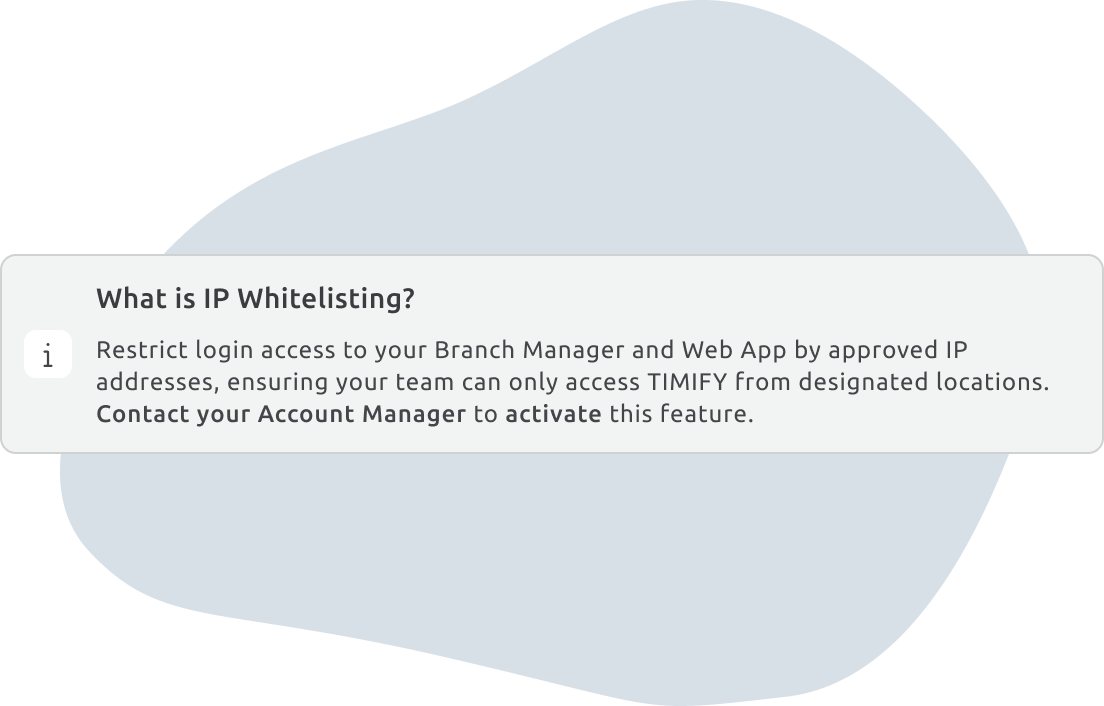
IP Whitelisting, also known as IP allowlisting, is an access-control method that permits authentication only from approved IP addresses or network ranges. The organisation defines which network addresses are trusted and denies access from addresses outside that list.
Each office, store or corporate VPN typically connects to the internet through one or more public IP addresses. By adding those addresses to an approved list, an organisation can allow employees to access TIMIFY through its authorised networks while blocking authentication from other locations.
For example, an employee connected to the network of an approved branch could authenticate as usual. The same employee attempting to log in through a home connection or public network would be denied access.
IP Whitelisting is not intended to replace passwords, two-factor authentication or SSO. Instead, it adds a network-based condition to the authentication process: the user must present valid credentials and connect from an approved IP address.
This reflects a broader identity and access management principle: organisations should consider not only who needs access, but also the conditions under which access should be granted.
How TIMIFY IP Whitelisting works
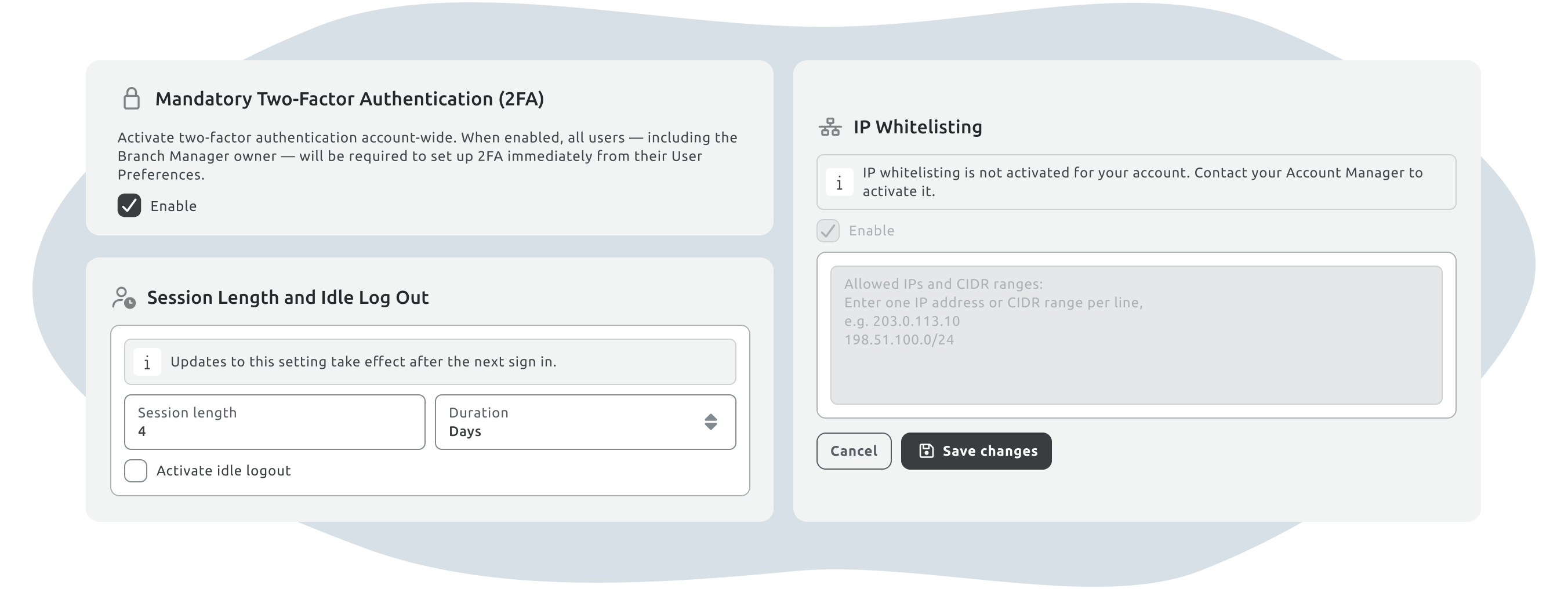
IP Whitelisting is available for Enterprise organisations using a Branch Manager. Our Team first activates the feature for your account. After activation, the organisation’s Branch Manager administrator can manage the approved addresses from Settings → Security.
Control headquarters and branch access independently
Organisations do not always want to apply the same policy to every type of user.
TIMIFY therefore provides separate configurations for:
- Branch Manager access, typically used by administrators and headquarters teams
- Web App access, used by employees across the branches in a Branch Manager account
The two lists operate independently. An organisation could restrict Branch Manager to its headquarters network while allowing branch employees to access the Web App without an IP restriction. Alternatively, it could enable both lists and use different approved networks for central and branch teams.
Define approved IP addresses and ranges
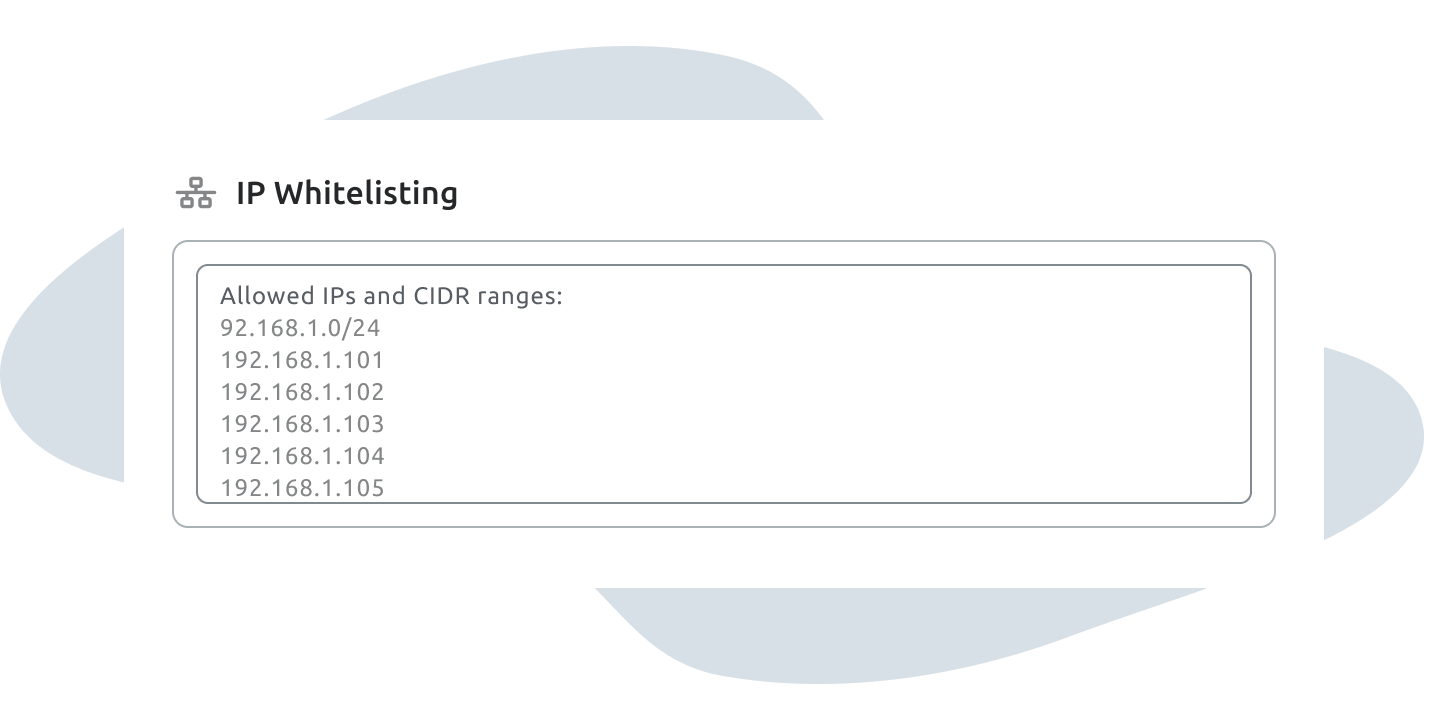
Administrators enter one approved IPv4 address or CIDR range per line. A single address can represent one network connection, while CIDR notation can be used to cover a wider office subnet.
The current configuration supports:
- Up to 300 entries for Branch Manager
- Up to 300 entries for the Web App
- IPv4 addresses
- CIDR ranges with a minimum subnet of /24
The form validates entries before saving. It prevents administrators from enabling the restriction without entering an approved address, rejects invalid or overly broad ranges, and blocks the allow-all range 0.0.0.0/0. Duplicate entries are removed automatically.
Because the Web App configuration is account-wide, all branches within the same Branch Manager account share one approved list. Organisations with multiple sites can add each branch network or consolidate suitable addresses into CIDR ranges.
Enforce changes without disrupting approved users
A new IP configuration applies as soon as it is saved.
Employees whose current address remains approved can continue working without interruption. Someone whose address has been removed is stopped on their next action and must authenticate again through an approved network. A newly added network can be used immediately.
This approach avoids unnecessarily logging out everyone whenever an administrator adjusts the list. The IP check continues to run during use, independently of the standard session duration.
For additional protection around unattended sessions, organisations can combine IP Whitelisting with TIMIFY’s session length and idle log-out controls.
Work alongside SSO and two-factor authentication
IP Whitelisting adds a separate control rather than replacing the organisation’s authentication method.
For standard single-account authentication, TIMIFY first validates the user’s credentials and then checks their IP address. A user on an unapproved network is blocked before progressing to two-factor authentication. Users authenticating through supported SSO methods are subject to the same underlying IP restriction after returning to TIMIFY from their identity provider.
Organisations can therefore combine location-based access rules with two-factor authentication to verify both the user’s identity and their network context.
See who attempted to access TIMIFY from an unapproved network
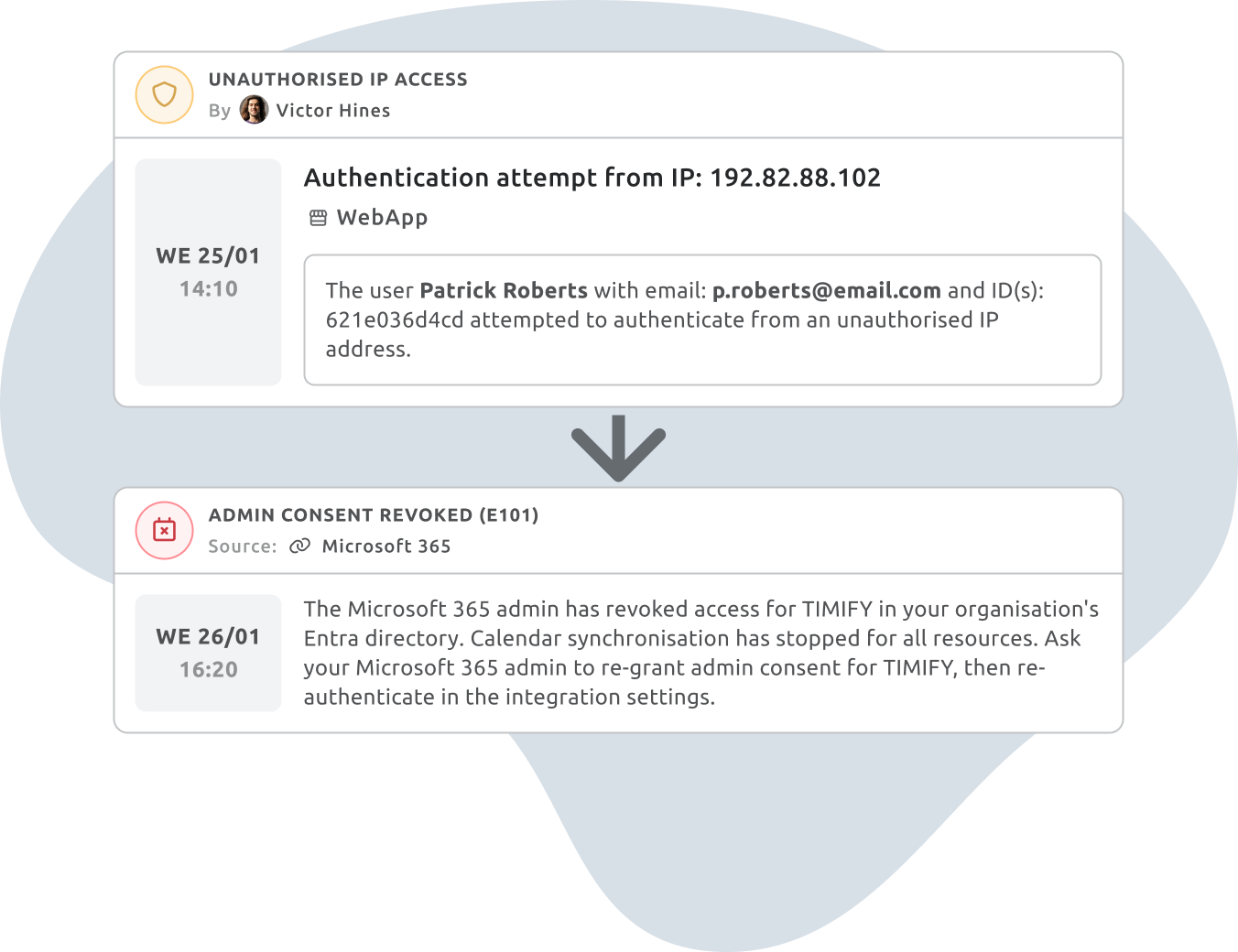
The Branch Manager Activity Log records unsuccessful authentication attempts from IP addresses that are not on the approved list. Each event can include the user’s identity, attempted IP address, timestamp and an indicator showing whether the attempt concerned Branch Manager or the Web App.
Administrators can filter the log using two separate event categories:
- Unauthorised IP access for blocked authentication attempts
- IP Whitelisting for configuration changes
This separation makes it easier to distinguish between a user attempting to authenticate from the wrong place and an administrator changing the approved network policy. Successful authentication from approved networks is not added to the IP Whitelisting log.
Plan the rollout before enabling the restriction
IP Whitelisting is most effective when the approved network information is prepared and verified in advance.
Before activation, involve the team responsible for network infrastructure and confirm:
- The public IP addresses used by the headquarters and every relevant branch
- Whether any locations use changing or dynamic IP addresses
- The approved exit addresses for employees using a corporate VPN
- Whether mobile employees can consistently connect through an approved network
- Which administrators should be available during the rollout
IP Whitelisting is best suited to organisations with fixed office networks or a managed VPN. A highly mobile workforce may need a VPN or another predictable network route before the restriction is practical.
Administrators should also check that their own current connection is included. TIMIFY prevents an enabled configuration from being saved without any addresses, but an administrator could still exclude the network they are currently using.
If a configuration error results in a lockout, a TIMIFY Account Manager can grant time-limited temporary access to a specific user. This break-glass process lets the user correct the configuration without deleting the existing IP list. The temporary bypass expires automatically.

Related articles

Tips & Resources
Remote Data Security: How Do You Keep Your Company's Data Secure When You Have Remote Workers?

09 February, 2024

Tips & Resources
Cybersecurity Essentials for Appointment Management Systems

02 April, 2025

